Summary
Share on Facebook
Share on LinkedIn
Updates
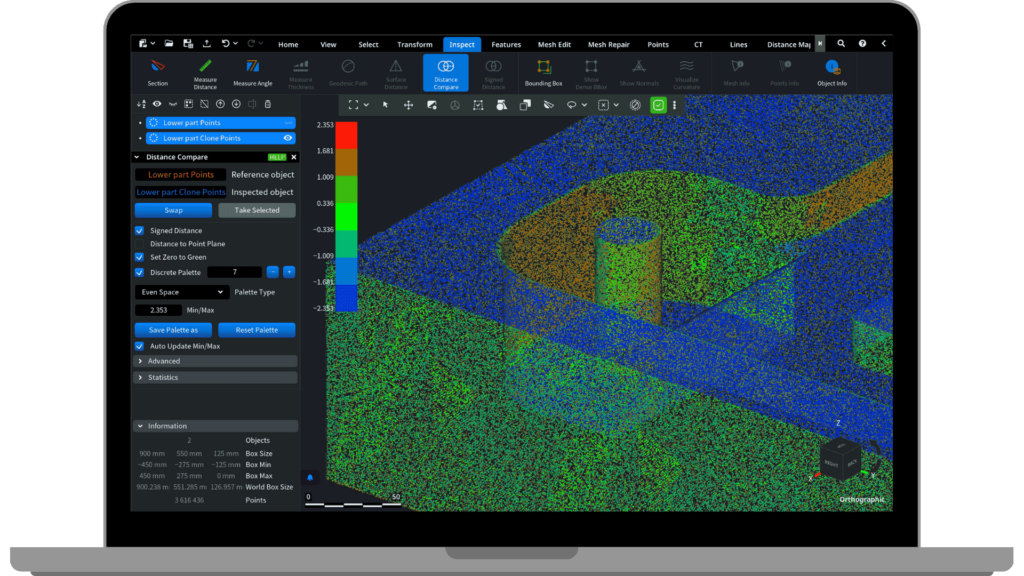
This update introduces the upgraded powerful Distance Compare tool—now supporting any combination of mesh and point cloud comparisons—alongside key improvements for thin-geometry editing using Brush, mold design using Extrude Base, point cloud handling with Terrain Triangulation, and experimental dental tools.
Inspection
- Distance Compare tool: You can now compare meshes and point clouds in any combination, including cloud-to-cloud and cloud-to-mesh comparisons.
Meshes
- Brush tool: Improved to handle very thin objects in Add and Remove modes, minimizing unintended changes to hidden surface areas.
- Extrude Base:
- Added a Wall Angle option to create angled base walls, useful for mold design and easier printed model removal.
- New button to automatically detect the optimal base direction for intraoral dental model printing.
- Re-position tool: Redesigned with a simplified interface and enhanced advanced positioning options.
Point Clouds
- Select Outliers: All checkboxes are now enabled by default, and the tool remains open after applying changes.
- Terrain Triangulation: Now uses precise geometric predicates to reliably handle degenerate input data.
CT
- Volume Rendering: Introduced a Sampling Step option to improve performance on older graphics cards and optionally enhance rendering quality.
General
- Numerous minor UI and UX improvements throughout the application.
Experimental Features
- Radius Compensation: Tool for offsetting cavity regions of dental crowns, preparing them for milling.Location: Experimental tab (Enable via Settings → Application → Show experimental features)
- Make Delone: Now includes an Intrinsic Delaunay mode, supports edge constraints, and displays the number of edge flips performed.Location: Mesh tab
- Partial Shell: Create variable thicknesses across different regions of a model. Select specific areas and assign custom offsets—ideal for tailoring wall thickness or modifying local geometry.Location: Mesh tab → Offset dropdown