Min-ji Kim
crazy how much smaller the file is. thanks!
Prepare and convert mesh files from STL to 3MF format for precise 3D printing.
Open .stl → Export → choose .3mf
Click Open Files and pick your .stl file. Then click Export, choose .3mf in the Extension list and click Save.
Click Open Files in the converter above and pick the file on your computer. It opens in your browser, with no sign-up.
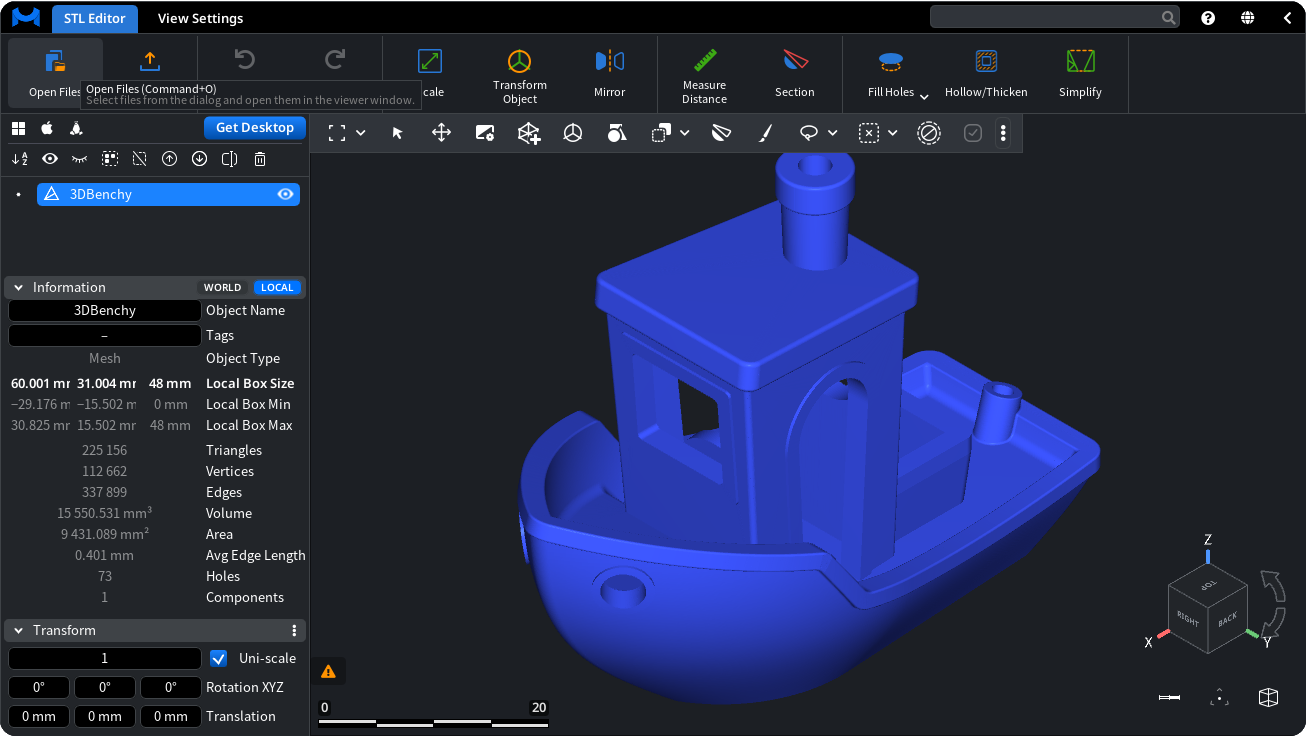
Click Export and choose .3mf in the Extension list. The list starts at .mrmesh, the native MeshInspector format.
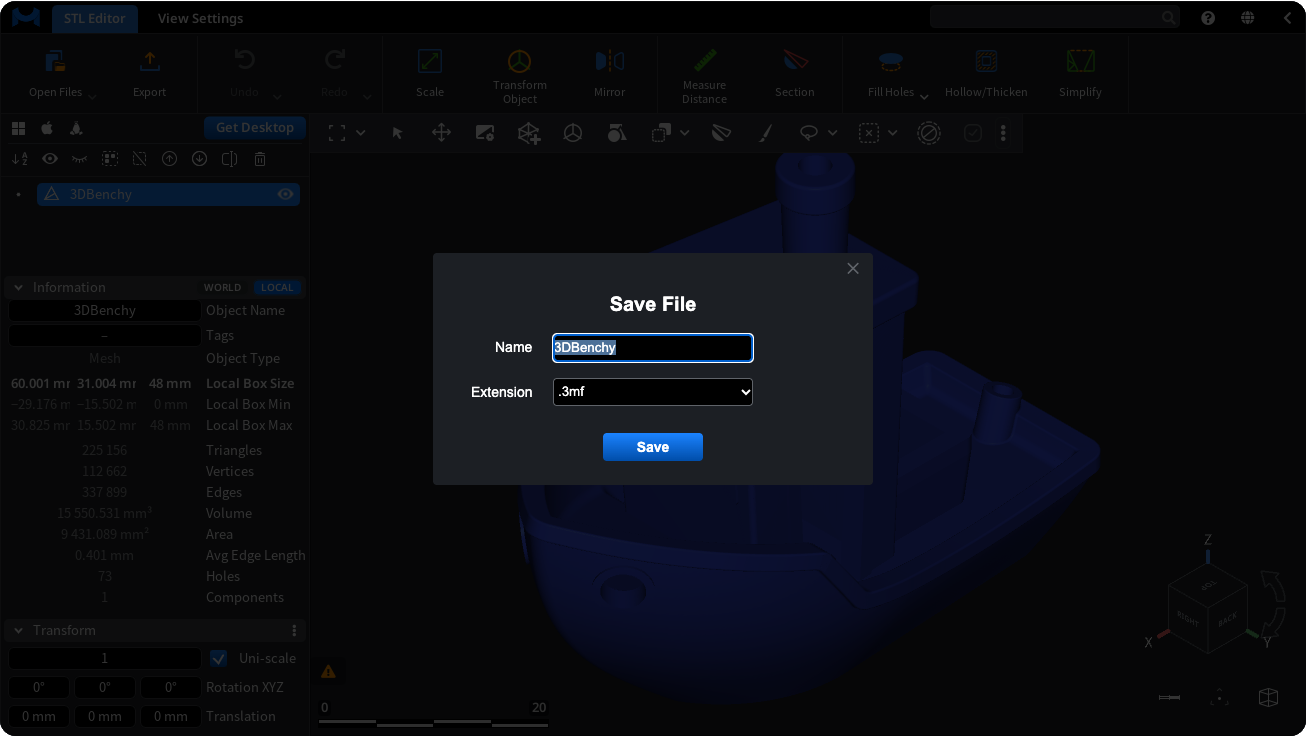
Click Save. The .3mf file downloads to your computer.
The converter on this page runs the MeshInspector web app in your browser: no install, no sign-up. It suits single files; the web app works within your browser's memory.
The desktop app runs on Windows, macOS (Apple silicon) and Linux. Use it for large files, many files, and the tools the web app does not have. The free Community plan covers opening and exporting; see Pricing for what the paid plans add.
No. The converter on this page is the MeshInspector web app running in your browser without sign-up. Click Open Files and pick your .stl file, select it in the scene list, click Export, choose .3mf in the Extension list and click Save. The converted file downloads to your computer.
Yes. Opening a .stl file and exporting it as .3mf use free tools, here, in the web app and in the desktop app on the free Community plan. Paid plans add tools such as Mesh Healer and automatic repair; the Pricing page lists what each plan includes.
3MF records units, while the source format may not, so check the size of the model after conversion. 3MF can carry colors and several objects, but the export writes the mesh geometry of the selected object, so check the result in your slicer before printing.
There is no fixed limit on this page, but the web app works within your browser's memory: up to about 4 GB, or 16 GB in browsers with 64-bit WebAssembly. For very large models, or many files, use the desktop app for Windows, macOS or Linux.

