STEP File Viewer Online
STEP and STP are the same format, and both open in the MeshInspector web app with a free account. The STP viewer page has the questions and answers.
- Free account
- No install
STEP and STP files are converted to a mesh on a MeshInspector server, so the web app asks you to sign in. A free account is enough.
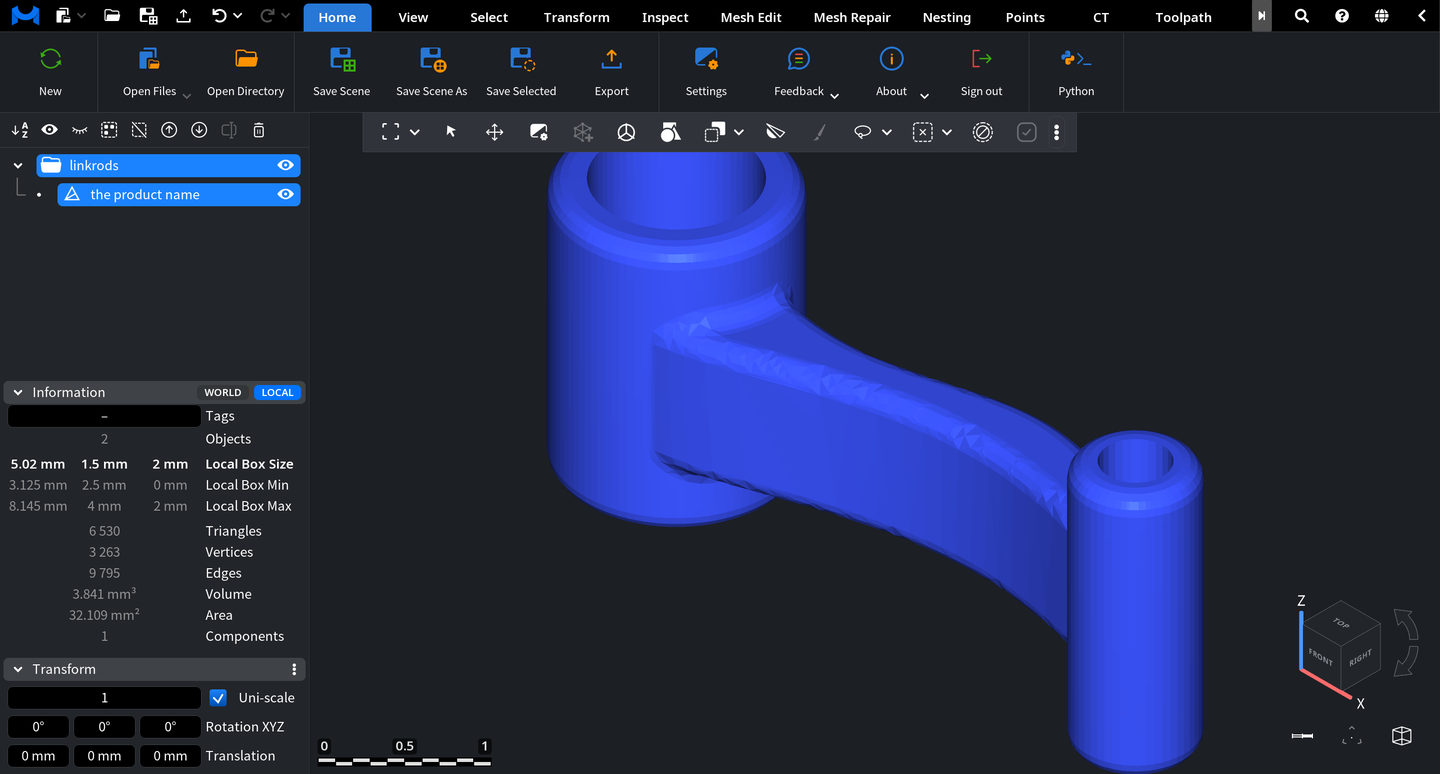
What you can do with your STEP file
Open STEP and STP files
Sign in to the MeshInspector web app with a free account and open .step or .stp files. A MeshInspector server converts them to a mesh.
Rotate, zoom and pan
Turn the part with the mouse or touchpad and zoom in on any detail.
Measure the part
Measure distances between points and angles between edges, and see the overall size with Bounding Box.
Cut a section
Section cuts the part with a plane, so you can look inside it.
Convert STEP to STL
Export the converted mesh as STL, OBJ or 3MF in the web app or the desktop app. The converter pages below show how.
How to open a STEP file in 3 steps
Sign in for free
Open the MeshInspector web app and sign in or create a free account. STEP files need it: they are converted to a mesh on a MeshInspector server.
Open your STEP file
Click Open Files and pick your .step file. The server converts it to a mesh, uses the file only for the conversion and does not keep it.
View, measure, export
Turn and zoom the part, measure distances and angles, or cut a section. Export saves the mesh, for example as STL, OBJ or 3MF.

Add a STEP Viewer to Your App
- Multi-Format Support — meshes, point clouds, voxels, and line data
Modern UI — built with Dear ImGui: ribbon interface, scene tree, view cube, and measurement tools.
Order-Independent Transparency (OIT) — realistic rendering of transparent materials.
Customizable Interaction — support for mouse, keyboard, touch gestures, and SpaceMouse devices.
Plugin Architecture — extend the Viewer with your own tools and workflows.

