The Texture to Vertex Colors tool, located under the Mesh Edit tab, converts color information stored in a texture into vertex-based color attributes.

Instead of relying on an external texture image mapped through UV coordinates, the mesh receives color values directly assigned to its vertices. As a result, the object no longer depends on a texture file for visual appearance, since the color data becomes part of the mesh geometry itself.
This transformation replaces texture-based surface coloring with vertex-based coloring while preserving the overall visual appearance of the model.
Before Conversion
In this example, the crocodile model is displayed with its original texture-based coloring. The color information is stored in an external texture image and mapped onto the mesh surface via UV coordinates. At this stage, the visual appearance of the mesh depends entirely on the associated texture file. If the texture were removed, the model would appear uncolored or uniformly shaded.
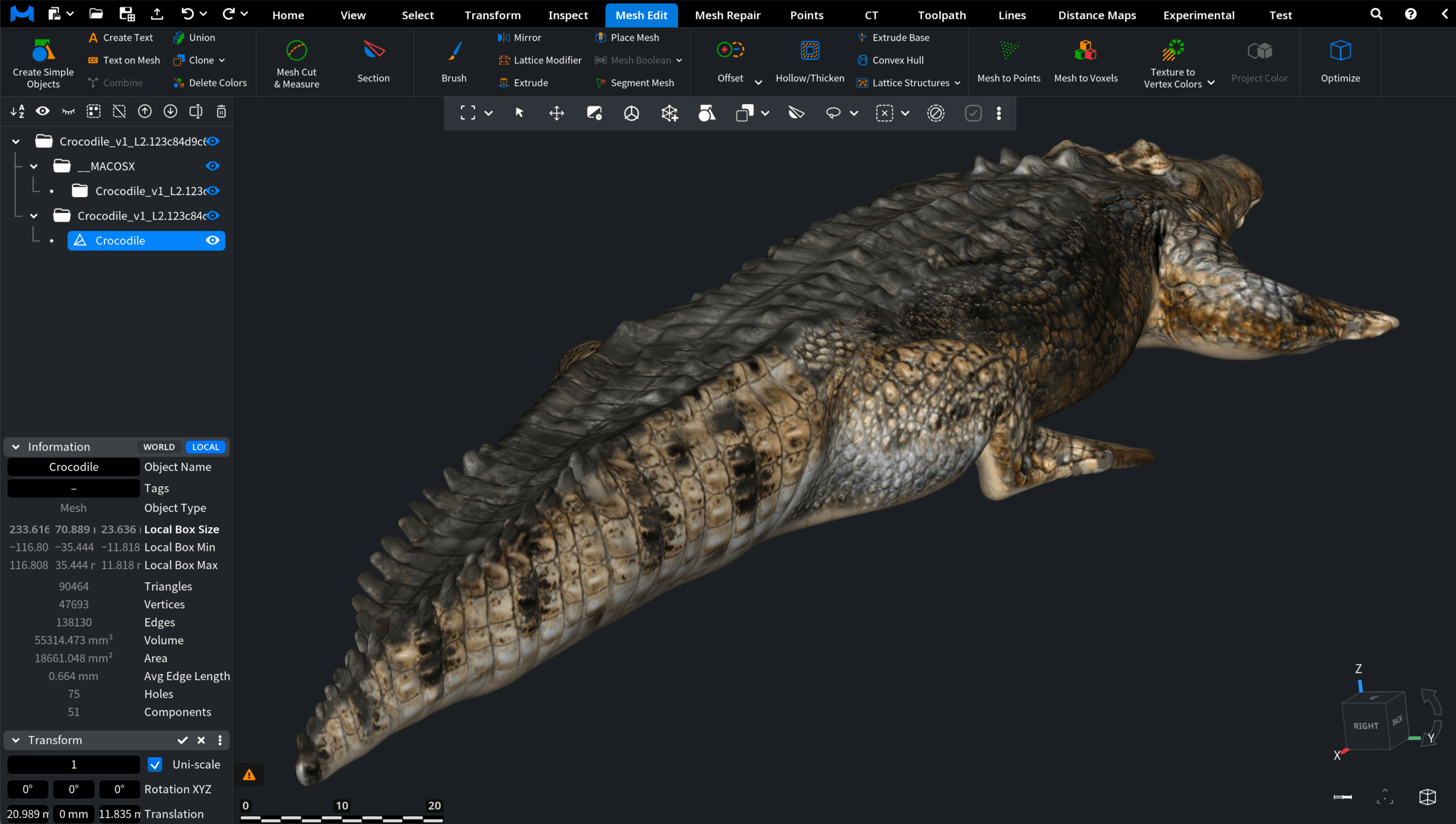
This serves as the baseline state before converting texture data into vertex-based color attributes.
After Conversion
After applying Texture to Vertex Colors, the mesh no longer relies on the external texture file for its appearance. Instead, color information is stored directly in the mesh vertices. Although the overall coloration remains similar, the visual quality becomes softer and less detailed.
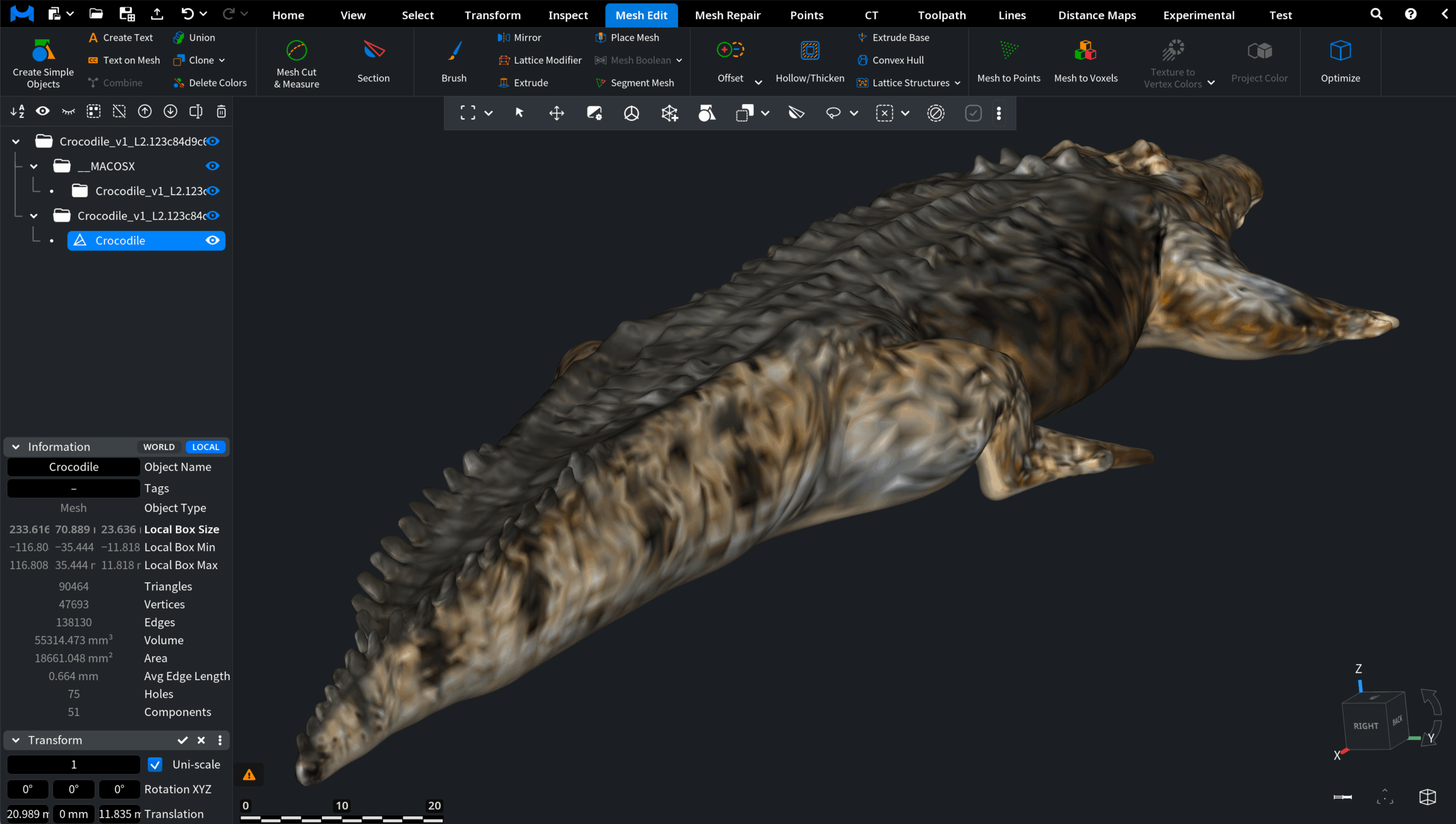
Fine texture details, e.g., high-frequency color variation, become blurred. This happens because the color resolution is now limited by vertex density rather than texture resolution.