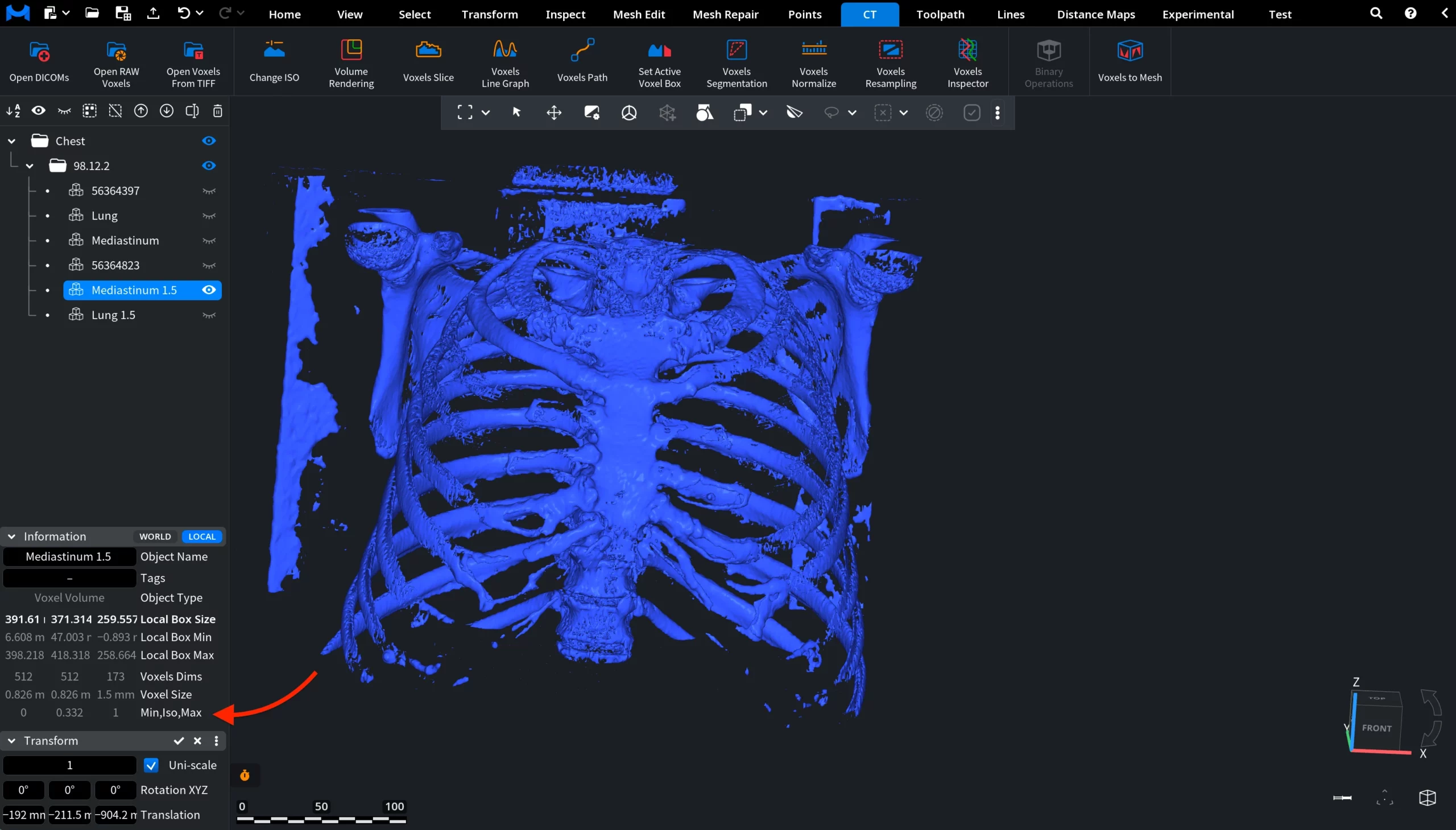
When dealing with CT voxel datasets, it might be necessary to adjust the resolution of the voxel grid. The Voxels Resampling tool in MeshInspector allows users to resample a voxel volume so that the voxel grid uses a specified voxel size. That is, resampling modifies the voxel grid while preserving the overall volumetric structure. To access this tool, open the CT tab on the top toolbar and click Voxels Resampling.

The Voxels Resampling tool works with only one voxel volume at a time. Ensure that a single voxel object is selected in the Scene Tree before running the operation. After clicking Voxels Resampling, a dedicated Voxels Resampling panel opens on the right side of the interface. Before applying the operation, pay attention to the Voxel Size values in the Information panel. These values show the current voxel dimensions of the selected dataset.
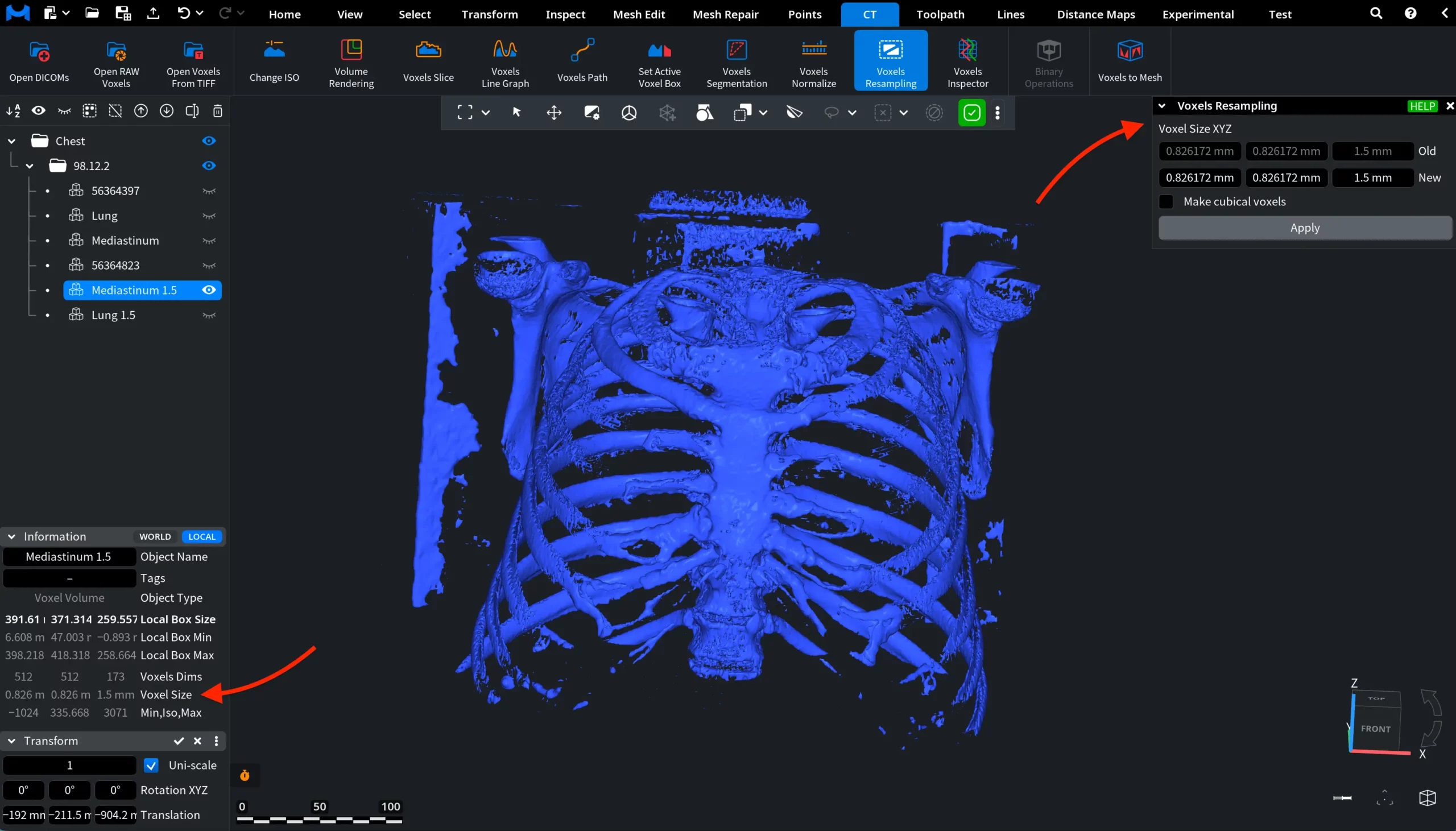
This panel contains the controls used to define the new voxel size.
Voxel Size XYZ
At the top of the panel, the Voxel Size XYZ section displays the current voxel size of the dataset. The three fields labeled Old show the voxel dimensions along the X, Y, and Z axes. These values represent the physical size of a single voxel in the original CT dataset. Below these fields, the New fields allow the user to define the target voxel size that will be used after resampling.
The Make cubical voxels checkbox controls whether the voxel grid will be resampled to isotropic (equal) voxel dimensions.
When Make cubical voxels is enabled:
- Only a single New value is displayed.
- The entered value will be applied equally to the X, Y, and Z voxel dimensions.
- As a result, the resampled dataset will contain cubical voxels.
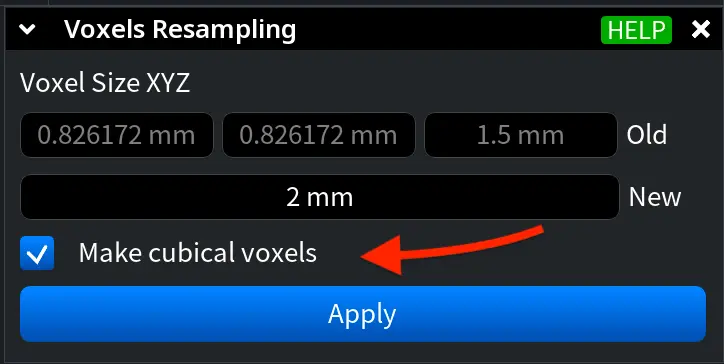
When this option is disabled, the voxel size can be defined independently for each axis.
The new voxel size can be specified in two ways:
- By entering the value manually in the field;
- By dragging the value to increase or decrease it interactively.
After defining the desired voxel size, click Apply to perform the resampling operation. In this example, Make cubical voxels is enabled and the voxel size is set to 2 mm.
The result can be verified in the Information panel. After resampling, the Voxel Size values change to reflect the new cubic voxel dimensions.