
Binary Operations combines two voxel volumes voxel by voxel and creates a new volume. Use it to unite, intersect or subtract two volumes, for example two parts converted with Mesh to Voxels, before you turn the result back into a mesh.
Before you start
- Select exactly two voxel objects in the Scene tree. With any other selection the CT › Binary Operations button is unavailable.
- Both volumes must be of the same kind. Volumes made with Mesh to Voxels store distances to a surface (a level set). CT volumes opened with Open DICOMs, Open RAW Voxels or Open Voxels From TIFF usually store measured values. If you select one of each, the tool shows "Objects must have the same grid class (e.g. level set or unknown)" and does not open.
- Use the same voxel size. The result gets the voxel size of Object A. When you convert two meshes, enter the same Voxel Size both times.
- The volumes may be moved relative to each other: the tool takes the position of each object into account.
Combine two volumes
- Select the two voxel objects in the Scene tree (Ctrl+click; Cmd+click on macOS).
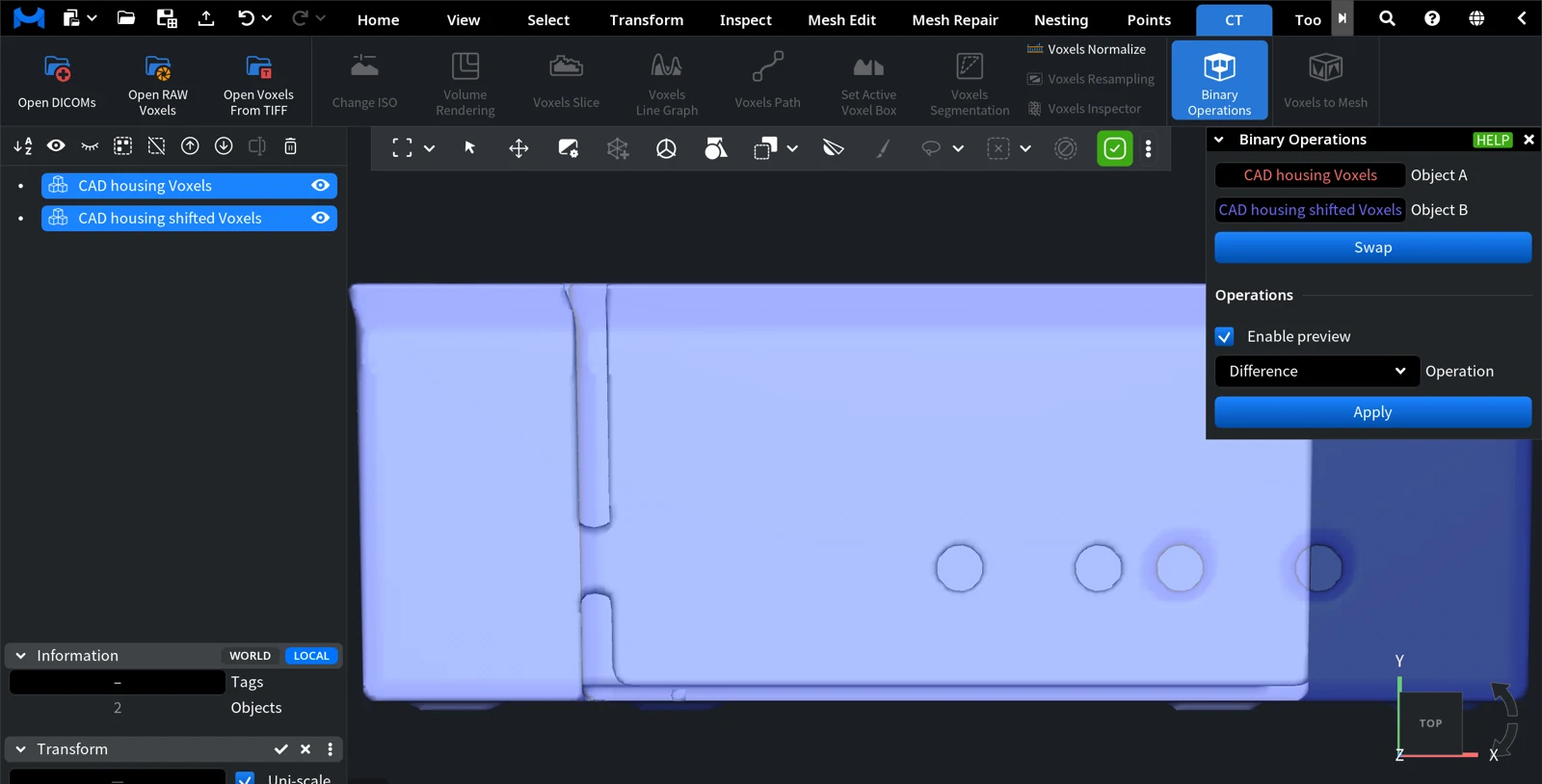
- Click CT › Binary Operations. The Binary Operations panel opens.
- Check which volume is Object A and which is Object B. Click Swap to exchange them: the order matters for Difference.
- Choose the Operation. Turn on Enable preview to see the result in the scene before you create it.
- Click Apply.
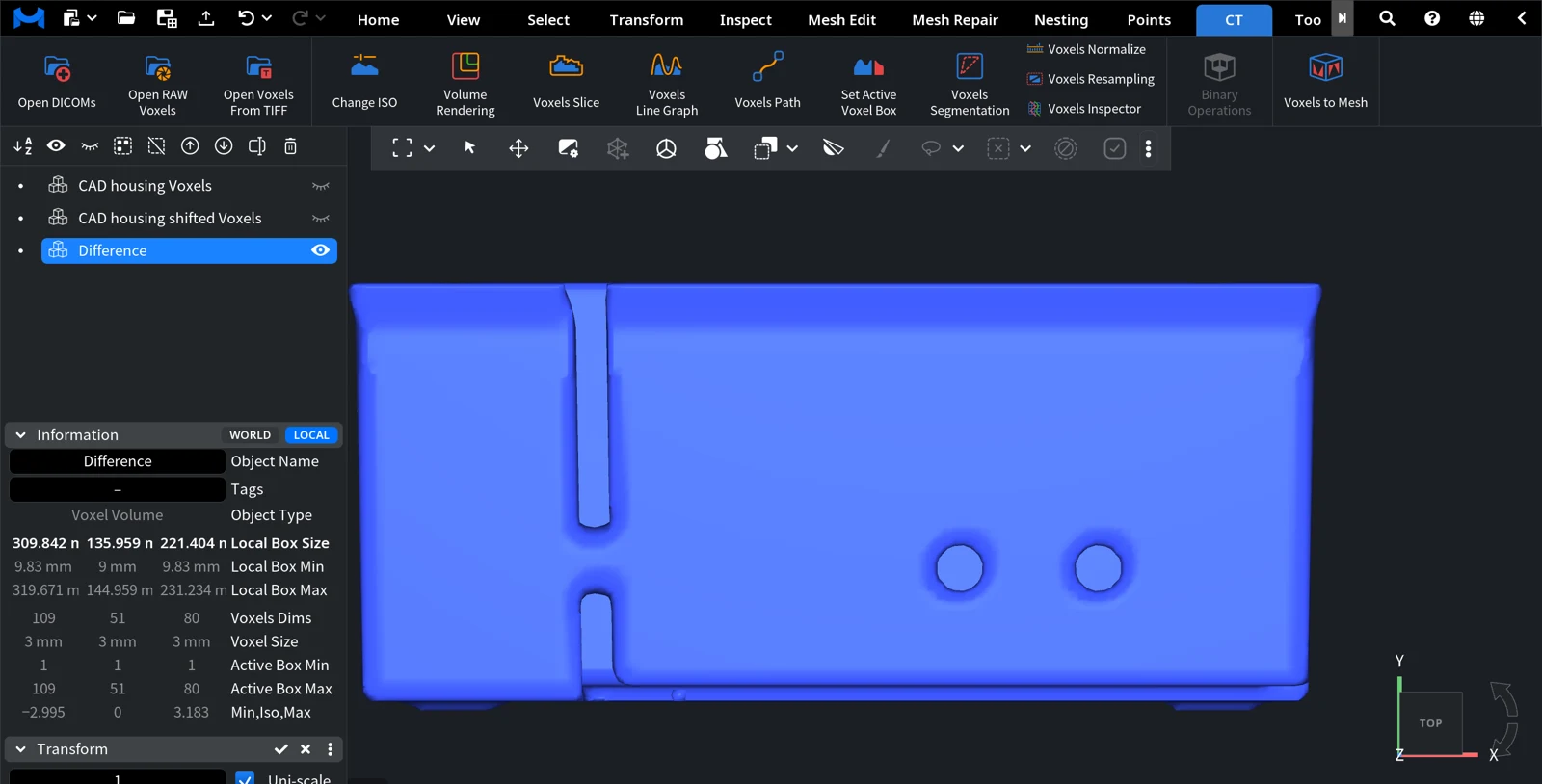
MeshInspector adds a new voxel object named after the operation, for example Difference. The two source volumes stay in the Scene tree, hidden and unselected, and the panel closes. To go back, press Ctrl+Z (Cmd+Z on macOS).
| Control | What it does |
|---|---|
| Object A, Object B | The two selected volumes. The result gets the voxel size of Object A. |
| Swap | Exchanges Object A and Object B. |
| Enable preview | Shows a temporary result in the scene and updates it when you change the operation or move a volume. |
| Operation | The operation to apply (see below). |
| Apply | Creates the result as a new voxel object. |
Volumes from Mesh to Voxels: Union, Intersection, Difference
For volumes made with Mesh to Voxels the Operation list has three items:
| Operation | Result |
|---|---|
| Union | Everything that is inside A or inside B. |
| Intersection | Only the region that is inside both A and B. |
| Difference | A minus B: the part of A that is outside B. |
This is a Boolean of two solids done in voxels, so it works even when the meshes have defects that stop a mesh Boolean. To get a mesh back, select the result and use Voxels to Mesh. If you start from two meshes and only need the resulting mesh, Mesh Edit › Voxel Boolean does the conversion and the operation in one step: see Boolean operations.


