The Measure Thickness tool visualizes and measures the local thickness of a mesh by analyzing distances between opposite surface regions. To start working with it, go to the Inspect tab and click Measure Thickness.

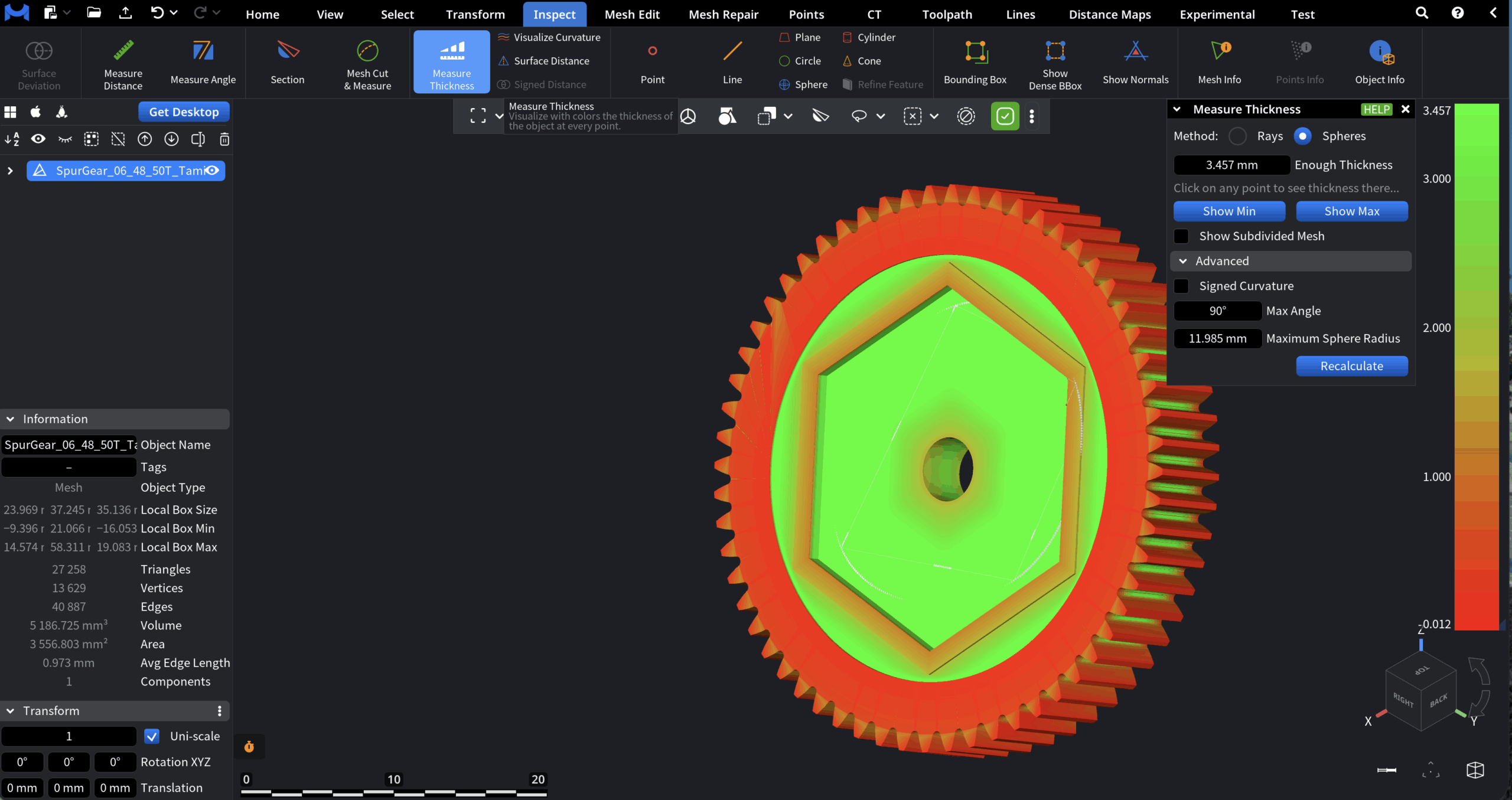
Thickness values are displayed directly on the mesh using a color map. Also, a dedicated panel with settings will appear.
Method
Method defines the algorithm used to compute thickness values.
-
Rays calculates thickness by casting rays along surface normals and measuring the distance to the opposite side of the mesh. This method is fast and works best for relatively clean, well-oriented geometry.
-
Spheres estimates thickness using inscribed and circumscribed spheres at surface points. This method is more robust for complex shapes and curved surfaces, but may be slower.
Enough Thickness defines the threshold value used for color mapping. Areas with thickness equal to or greater than this value are displayed in green, while thinner regions are shown in yellow and red. Clicking on any point on the mesh displays the local thickness value at that location.
Visualization Controls
-
Show Min highlights the point with the minimal detected thickness on the mesh.
-
Show Max highlights the point with the maximal detected thickness on the mesh.
-
Show Subdivided Mesh subdivides the mesh internally and displays thickness values on the subdivided surface.
Advanced Settings for Spheres Method
Additional parameters available when Spheres is selected as the measurement method.
-
Signed Curvature displays curvature values computed from the inverse radius of the maximal sphere touching the surface at each point.
-
Max Angle sets the maximum allowed angle between the search direction and the direction from the sphere’s center to the detected surface point.
-
Maximum Sphere Radius limits the maximum allowed radius of the probing sphere. This parameter should usually be changed only if automatic detection fails.
Recalculate recomputes thickness values using the current advanced settings.