The Visualize Curvature tool analyzes surface curvature and displays it directly on the mesh using a color map. As such, it helps identify convex and concave regions, sharp transitions, surface smoothness, and geometric anomalies.
To access it, go to the Inspect tab and click on Visualize Curvature.

After you click, you will see that a color map is now applied to your mesh, as well as a dedicated panel.
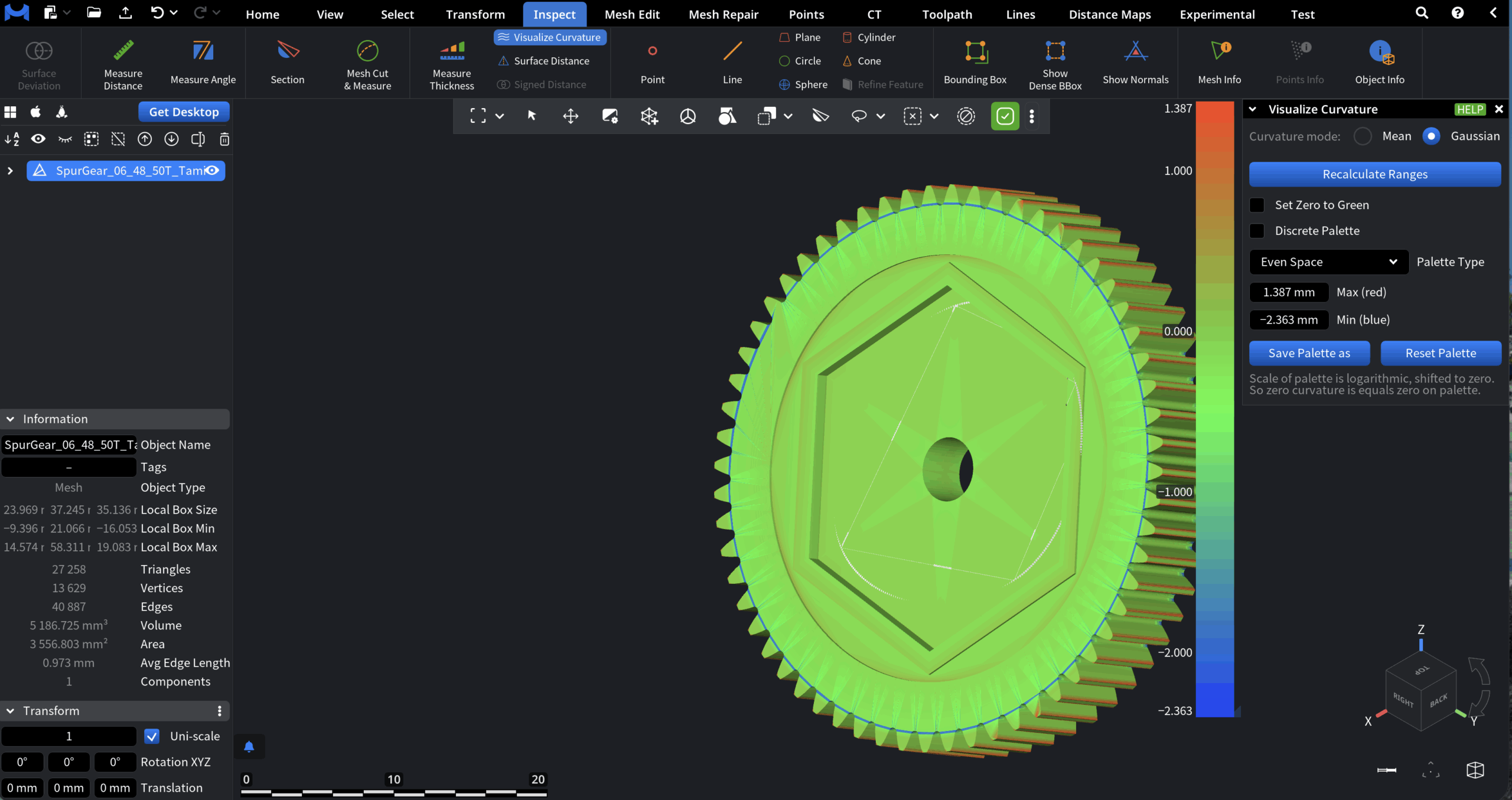
Curvature Mode
Defines the type of curvature to visualize.
-
Mean displays mean curvature, which represents the average of principal curvatures at each surface point. In this capacity, it is useful for identifying smoothness, gradual shape changes, and overall surface fairness.
-
Gaussian displays Gaussian curvature, computed as the product of the principal curvatures. This mode highlights fundamental surface properties, such as saddle regions, peaks, and pits.
Palette and Range Controls
-
Recalculate ranges automatically recalculates curvature value limits.
-
Set Zero to Green forces zero curvature values to be displayed in green, making flat regions easier to identify.
-
Discrete Palette. When it is enabled, the color map is divided into a fixed number of discrete levels instead of a smooth gradient. This is useful for classification and threshold-based analysis.
-
Palette Type defines how curvature values are distributed across the color map:
-
Even Space distributes colors evenly across the full curvature range.
-
Central Zone prioritizes resolution around zero curvature, allowing positive and negative deviations to be visualized more clearly.
-
-
Max (red) / Min (blue) displays the current maximum and minimum curvature values mapped to the color scale.
Palette Management
-
Save Palette as saves the current palette configuration as a preset that can be reused later.
-
Reset Palette restores the palette to its default settings.