Advice and answers from the MeshInspector Team

Overview of MeshInspector's Collision Detection Tool

Guide to MeshInspector’s Collision Detection Tool
Updated over 7 days ago

Clicking Collision Detection, located under the Select tab, activates the tool for identifying intersecting triangles between two selected meshes. This feature is useful for detecting overlaps in 3D models, verifying proper alignment, and avoiding unintended intersections.

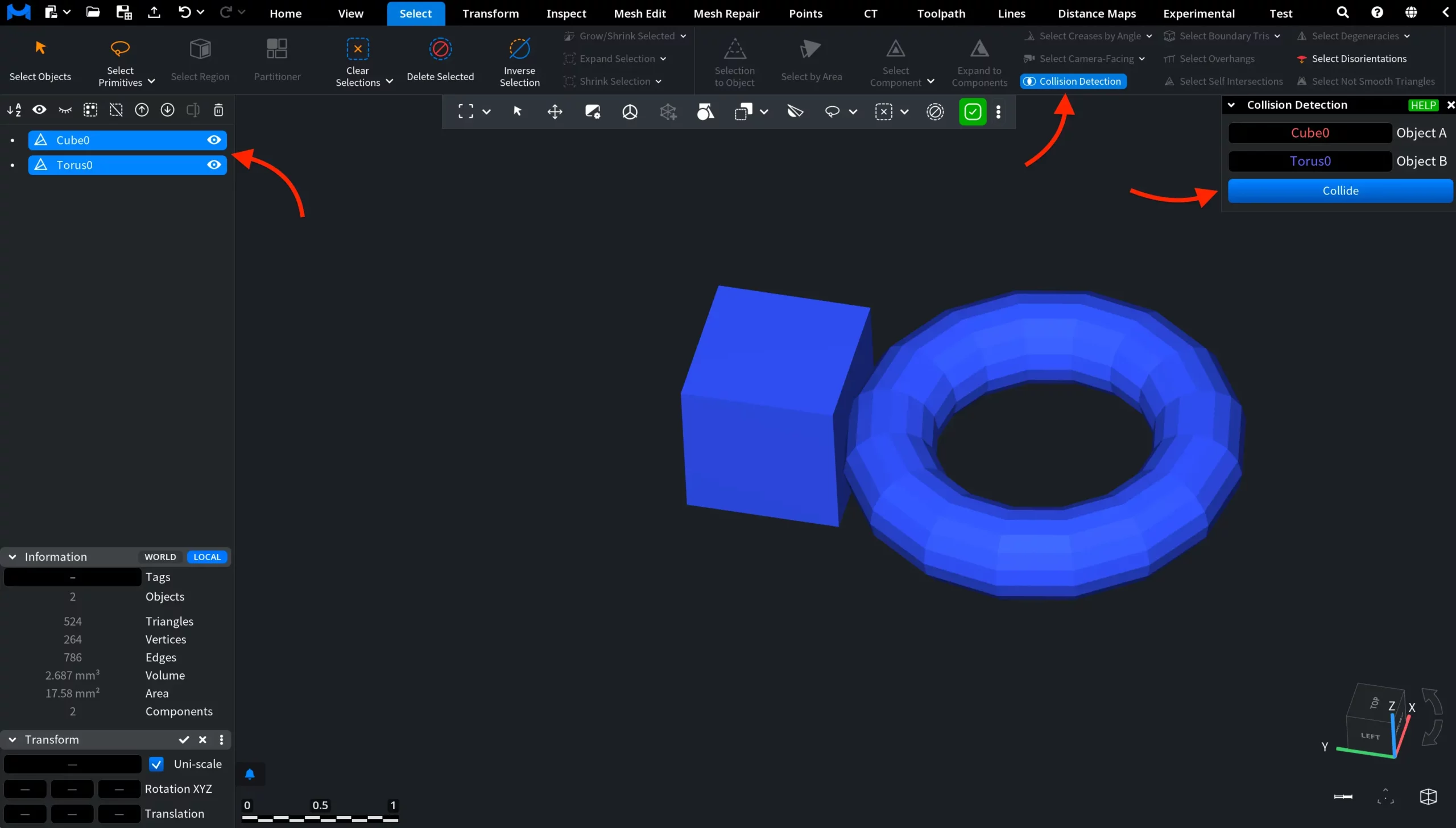
Collision Detection: Where to Find

Collision Detection: Before

To use Collision Detection, select two meshes, as shown in the screenshot below. One mesh will be assigned as Object A and the other as Object B in the dedicated Collision Detection panel. The tool works only when two distinct mesh objects are selected. Click Collide to analyze intersections between the meshes.

Collision Detection: Before

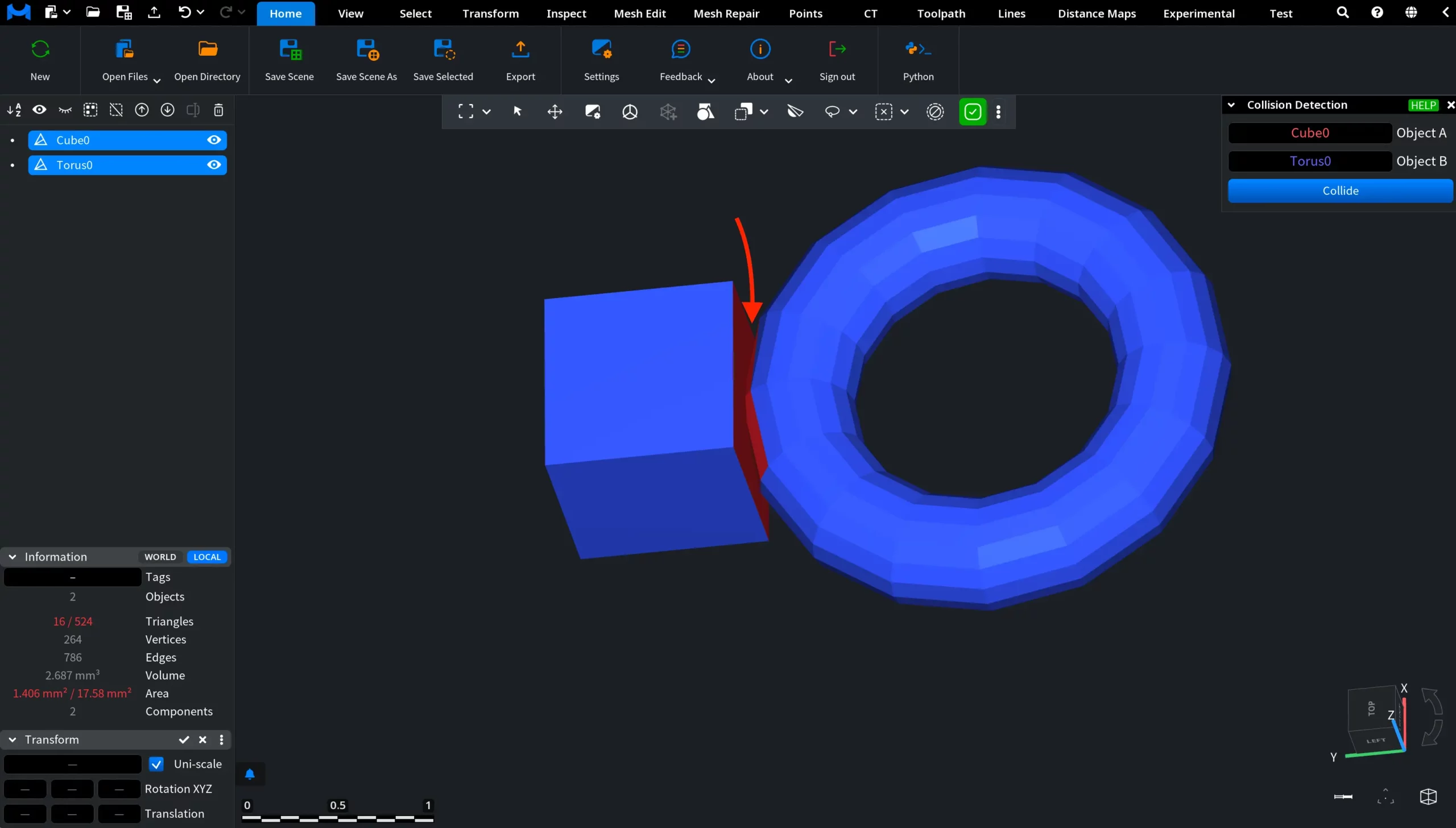
Collision Detection: After

In this screenshot, Collision Detection has been applied. Intersecting triangles between the two selected meshes were detected automatically and highlighted in red.

Collision Detection: After

How to Use the Collision Detection Tool in MeshInspector

Table Of Contents