
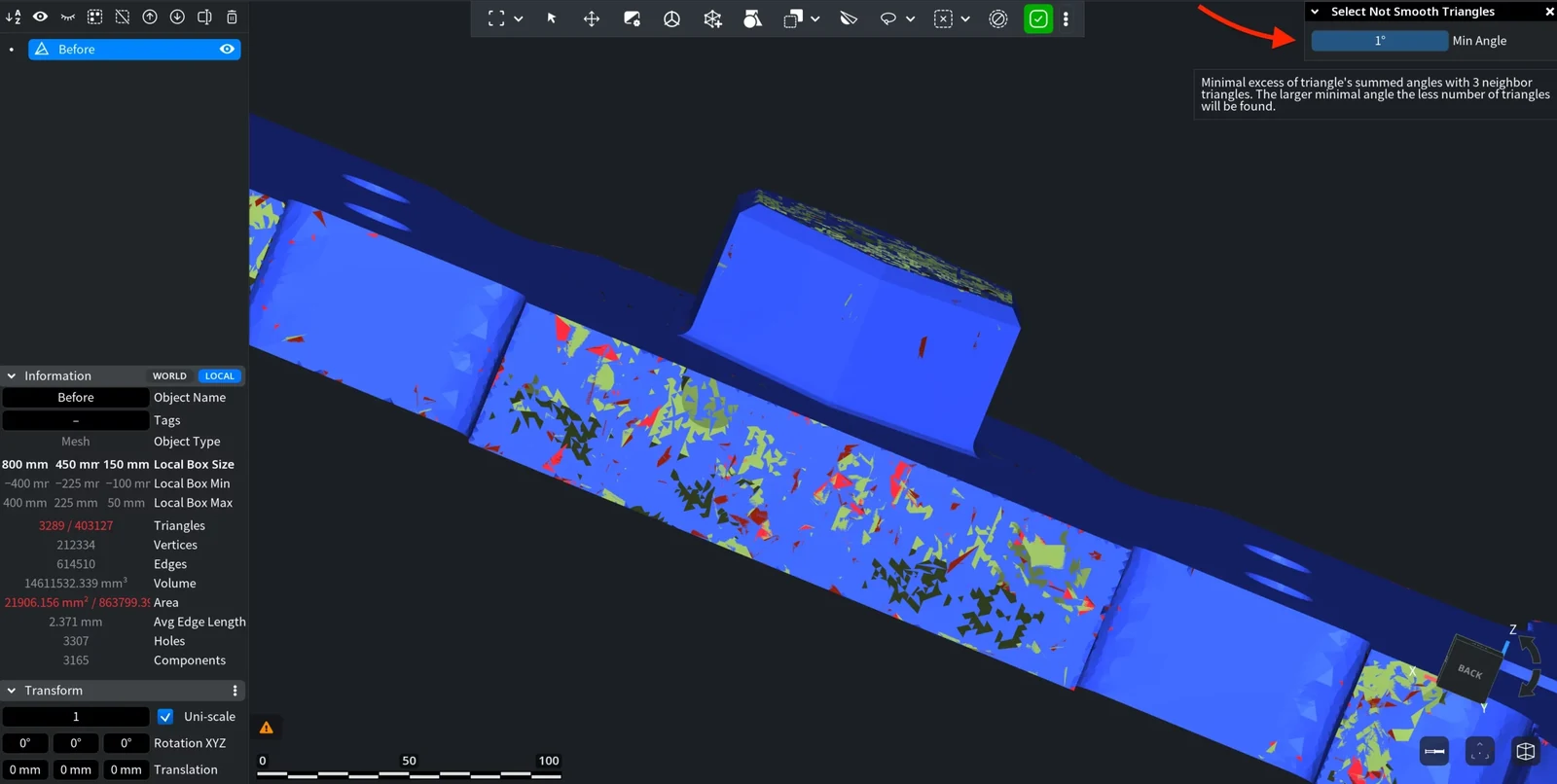
Select Not Smooth Triangles selects triangles that stick out of the surface around them: small spikes, dents and folded triangles, typical for noisy scans. Use it to find such spots before you smooth or delete them.
You find the tool in Select › Select Not Smooth Triangles.

How It Decides
For each triangle, the tool adds up how much the triangle is tilted against each of its three neighbors and compares this sum with how much the neighbors are tilted against each other. If the first sum is larger by more than Min Angle, the triangle sticks out of its surroundings and is selected. So:
- Spikes, dents and folded triangles are selected.
- Clean sharp edges, such as the edges of a CAD part, are not: there the triangle agrees with the neighbors on its own side. With the default value on a CAD part of about 7 million triangles, the tool selected only 15 triangles.
- Triangles on the border of a hole or of an open mesh are never selected.
Select Not Smooth Triangles: Panel and Results
- Select one mesh. The tool works only when exactly one mesh is selected.
- Go to Select › Select Not Smooth Triangles. The panel opens and the found triangles turn red at once.
- Change Min Angle until the selection covers the defects. The selection updates as you change the value; there is no Apply button.
- Close the panel. The triangles stay selected.
| Parameter | What it does | Default |
|---|---|---|
| Min Angle | How far a triangle must be out of line with its neighbors to be selected. A larger angle finds fewer triangles; a smaller one finds more subtle bumps. | 17.19° (0 to 540°) |
The found triangles are added to the triangles that were selected when you opened the tool. All changes you make in one session of the panel are undone with one Ctrl+Z (Cmd+Z on macOS).
What to Do Next
- To smooth the selected area, use Re-position, which moves only the vertices inside the selection, or Reduce Noise.
- To remove the spots, press Delete (Backspace on macOS) to run Delete Selected, then close the holes with Fill Holes.
- Other ways to find bad triangles: Select Degeneracies and Select Self Intersections.


