
Select Incident Triangles selects the triangles around the selected edges of a mesh. Use it to pass an edge selection to the tools that work with triangles, such as Delete Selected, Selection to Object or Expand Selection.
Select the triangles around selected edges
- Select edges, for example with the Edge Selector, Select Short Edges or the Partitioner.
- Open the drop-down arrow next to Select Primitives and choose Select Incident Triangles.
The tool works at once, without a panel. It selects every triangle that has a vertex on a selected edge, so a contour of edges becomes a band of triangles on both sides of it. The new triangles are added to the triangles that were already selected, and the edge selection stays as it was. To undo, press Ctrl+Z (Cmd+Z on macOS).
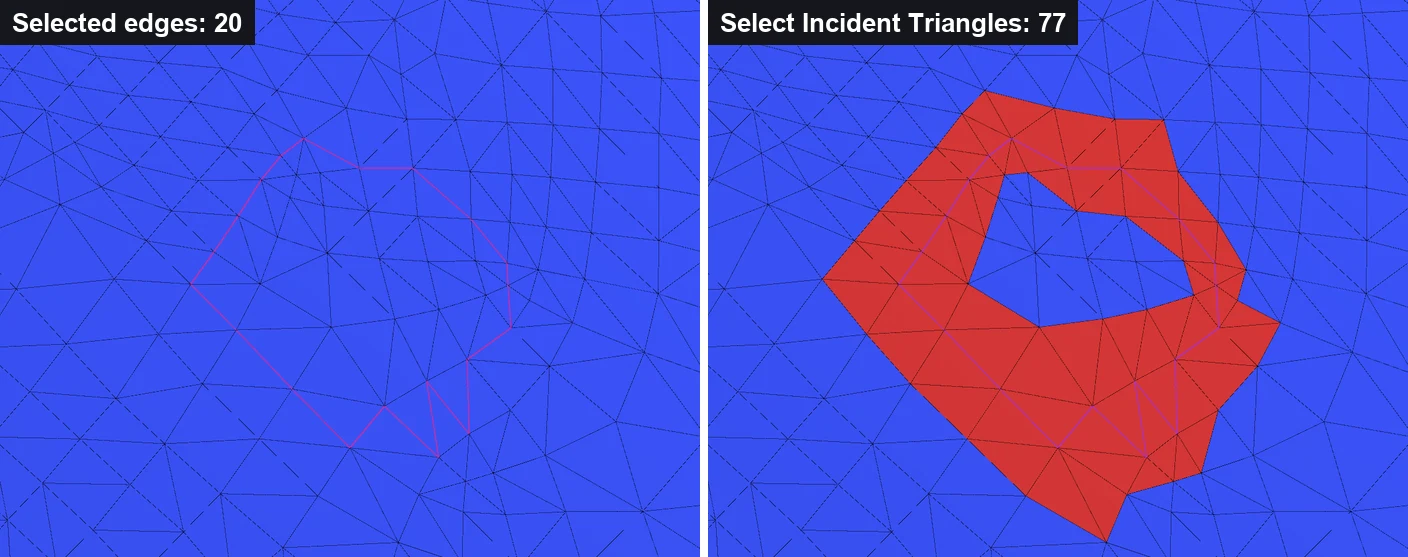
The button is unavailable when the mesh has no selected edges. To select the whole area inside a closed contour instead of a band along it, select a triangle inside the contour and use Expand to Components, which treats selected edges as borders.


