Sometimes, line objects may need to be converted into volumetric voxel geometry. MeshInspector provides a special tool for tasks like this. Lines to Voxels converts selected polyline objects into voxel volumes. The tool is located in the Lines tab on the top toolbar.

Lines to Voxels: Settings
Once you click Lines to Voxels, a dedicated settings panel opens on the right. Here, MeshInspector allows you to define two main parameters before conversion:
- Voxel Size defines the physical size of each cubic voxel used to build the resulting voxel volume. Smaller voxel values produce a higher-quality and more detailed volumetric representation, while larger values generate a more coarse voxel structure;
- Offset (voxels) defines how many voxel layers around the source lines will be included in the generated voxel field. In practical terms, increasing this value expands the filled voxel region farther away from the original polyline boundaries, while smaller values keep the voxelized result closer to the source contours.
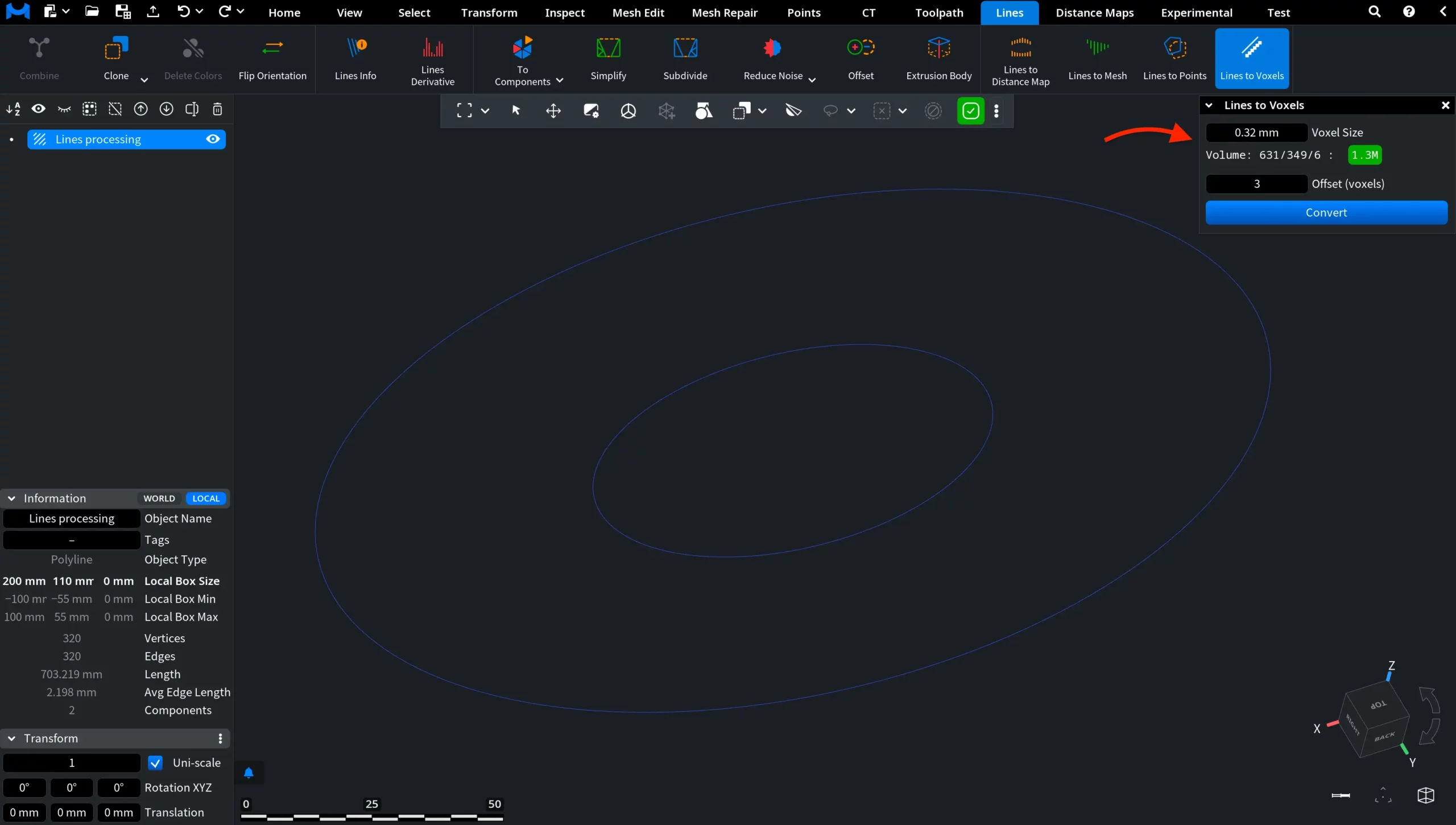
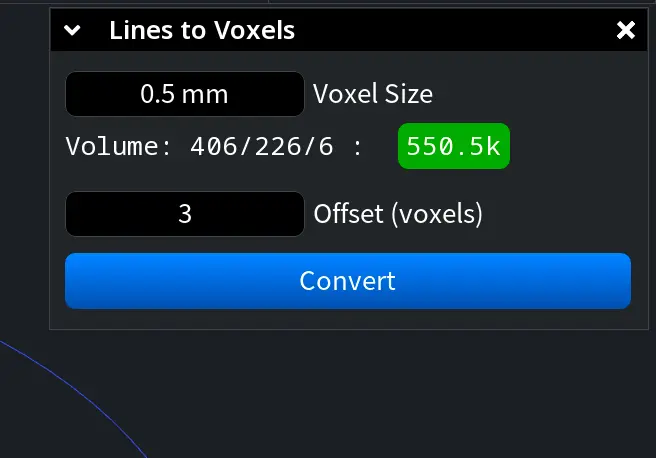
Note: As you change Voxel Size, the Volume readout in the panel updates automatically as well. This indicator reflects the estimated dimensions and density of the voxel grid that will be generated for the current settings. In the example below, increasing the voxel size to 0.5 mm from the default 0.32 mm noticeably reduces the projected voxel volume from approximately 1.3M to 550.5k.
After clicking Convert with the default settings (we apply the default settings here: Voxel Size = 0.32 mm, Offset = 3), MeshInspector generates a new voxel volume object from the selected polyline. As you can see in the screenshot below, the former line contours are no longer displayed as thin line geometry. Instead, each contour becomes a voxelized volumetric band composed of small cubic cells arranged along the original polyline path.
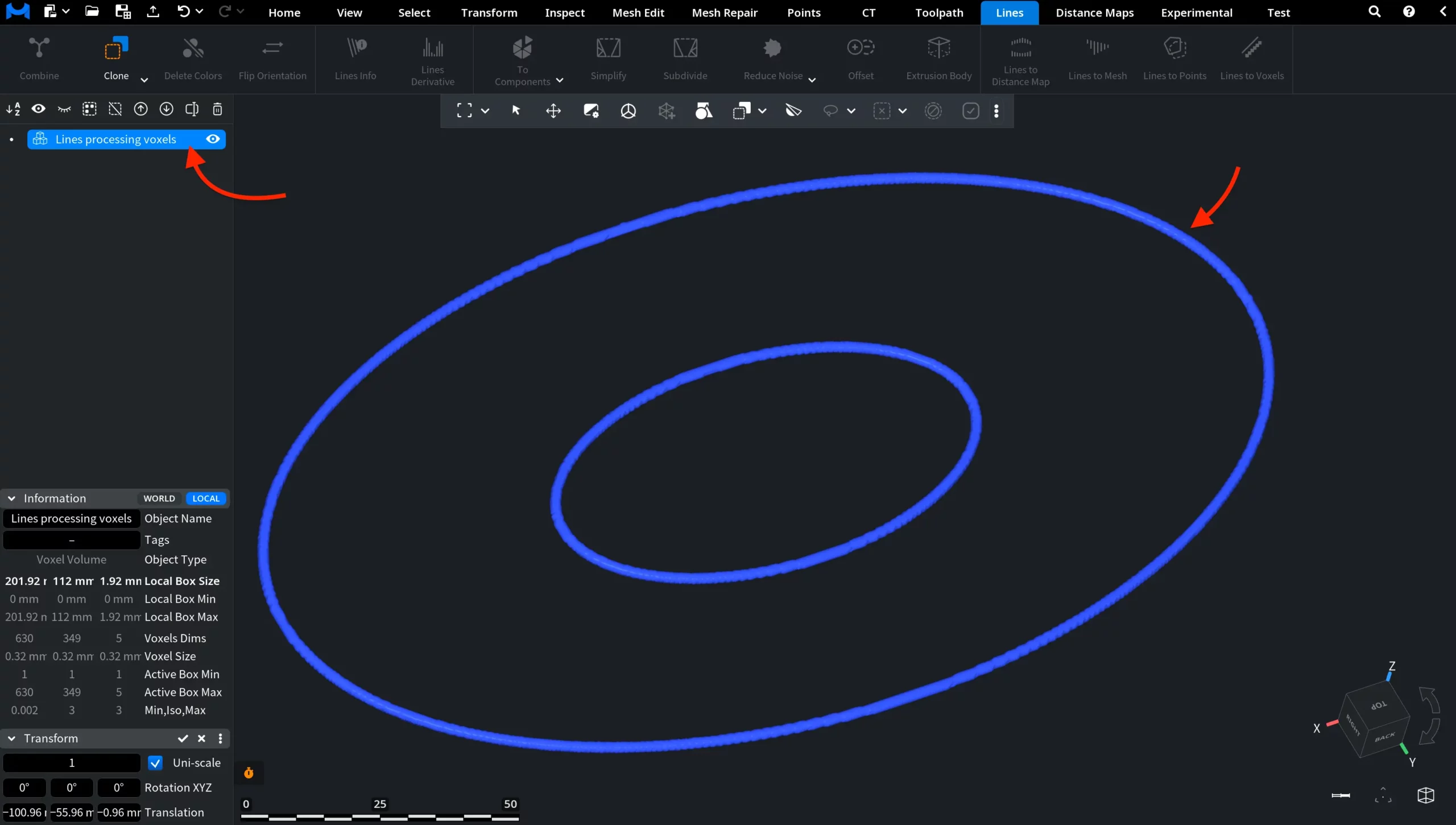
The object also changes internally. In the Scene Tree, MeshInspector now marks it as a voxel object, while in the Information panel its object type is listed as Voxel Volume. This confirms that the source polyline has been successfully converted into volumetric voxel data.
How the Lines to Voxels Tool Works in MeshInspector