A distance map is a data object that stores distance-related values across a defined spatial domain. In MeshInspector, it is represented as a separate object type. Thus, distance maps are characterized by:
- Distance-based values.
- A defined spatial extent.
- Representation as a dedicated object type.
- Use for distance-related analysis and visualization.
Distance Map in MeshInspector
When you load a distance map, it appears in the Scene tree and in the viewport. In the Scene tree, it is marked with a dedicated icon, indicating that the object is a distance map. MeshInspector provides an Information panel that displays:
- Object type.
- Bounding Box Size, World and Local (dimensions of the tight axis-aligned bounding box).
- Bounding Box Min, World and Local.
- Bounding Box Max, World and Local.
This information defines the spatial bounds of the distance map in the scene.
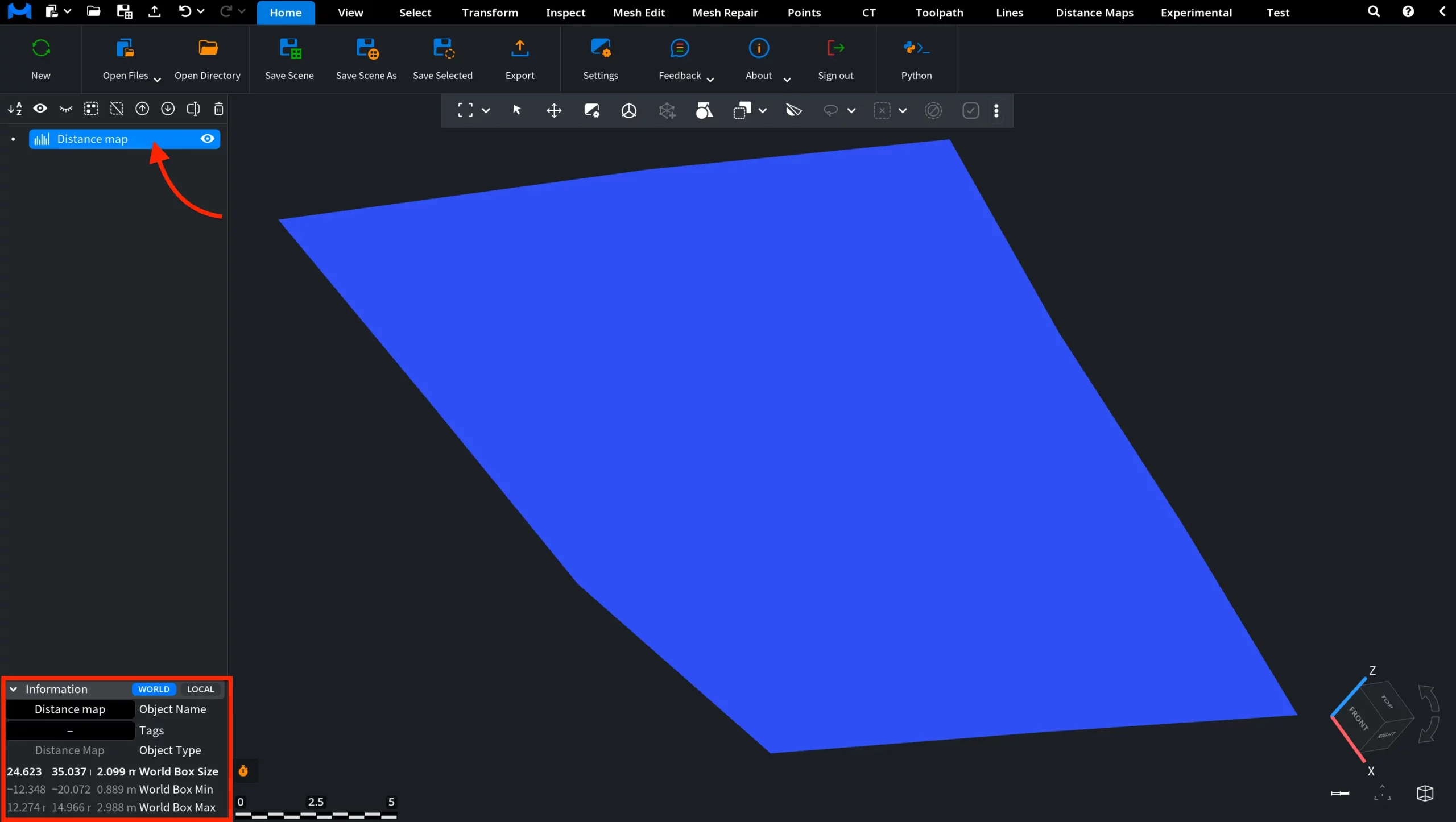
Under the Inspect tab, click Object Info to view detailed information about the distance map. This panel includes:
- Object type and memory usage.
- Bounding box properties (min, max, center, and size).
- Distance map resolution (resX, resY).
- Parameter vectors, including
- pixelVec.
- depthVec.
- origin.
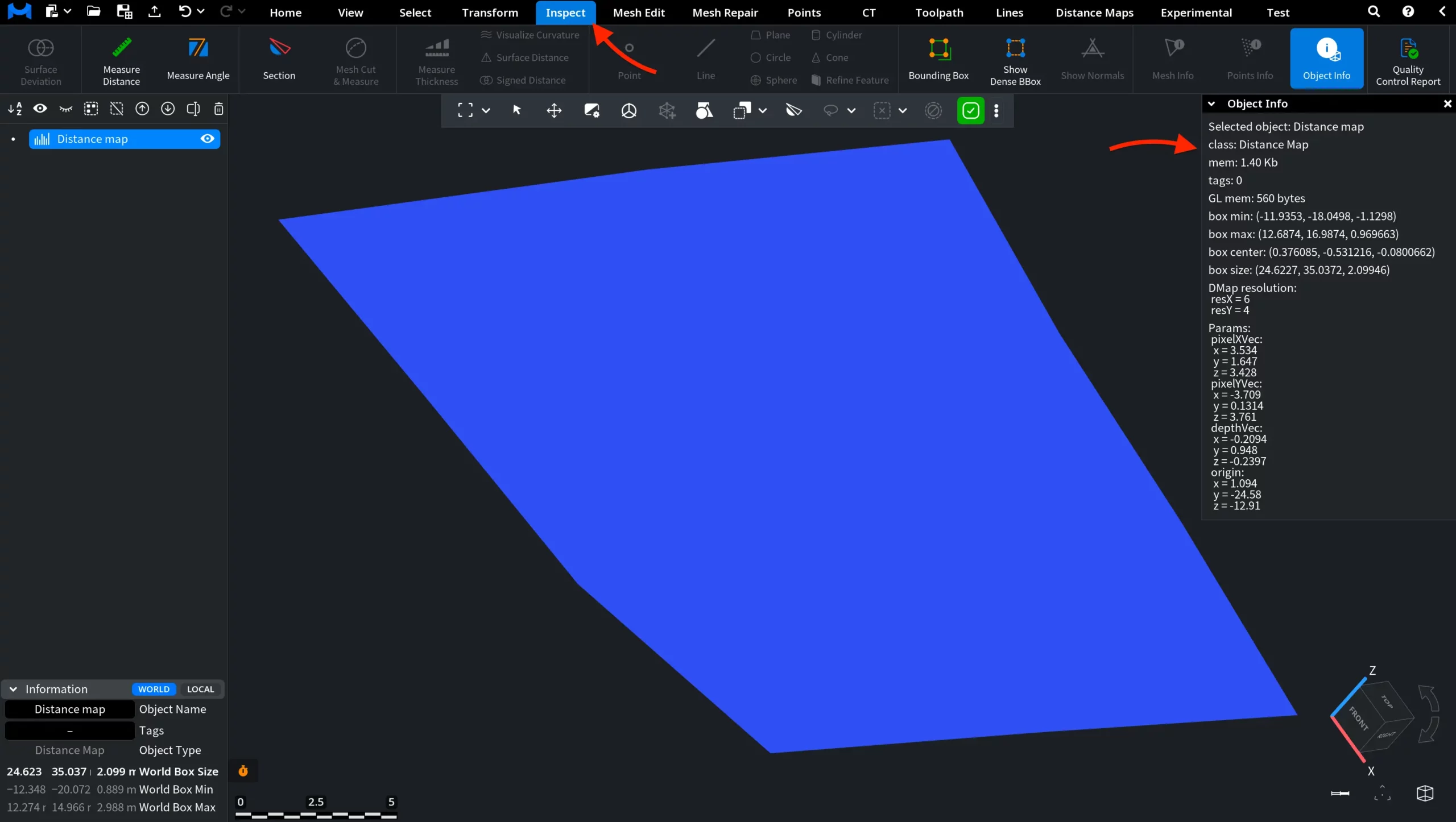
This information defines both the spatial placement of the distance map and how its values are structured and interpreted.
From here, you can control how the distance map is displayed and managed:
- Toggle visibility and lock transformation.
- Enable or disable shading and flat shading.
- Control display elements such as edges, points, borders, and bounding box.
- Adjust transparency and object name visibility.
- Enable clipping and local basis.
- Customize colors for selected and unselected elements.
- Modify advanced rendering parameters, including point size, shininess, ambient strength, and specular strength.
- Perform actions such as Remove and Clone.
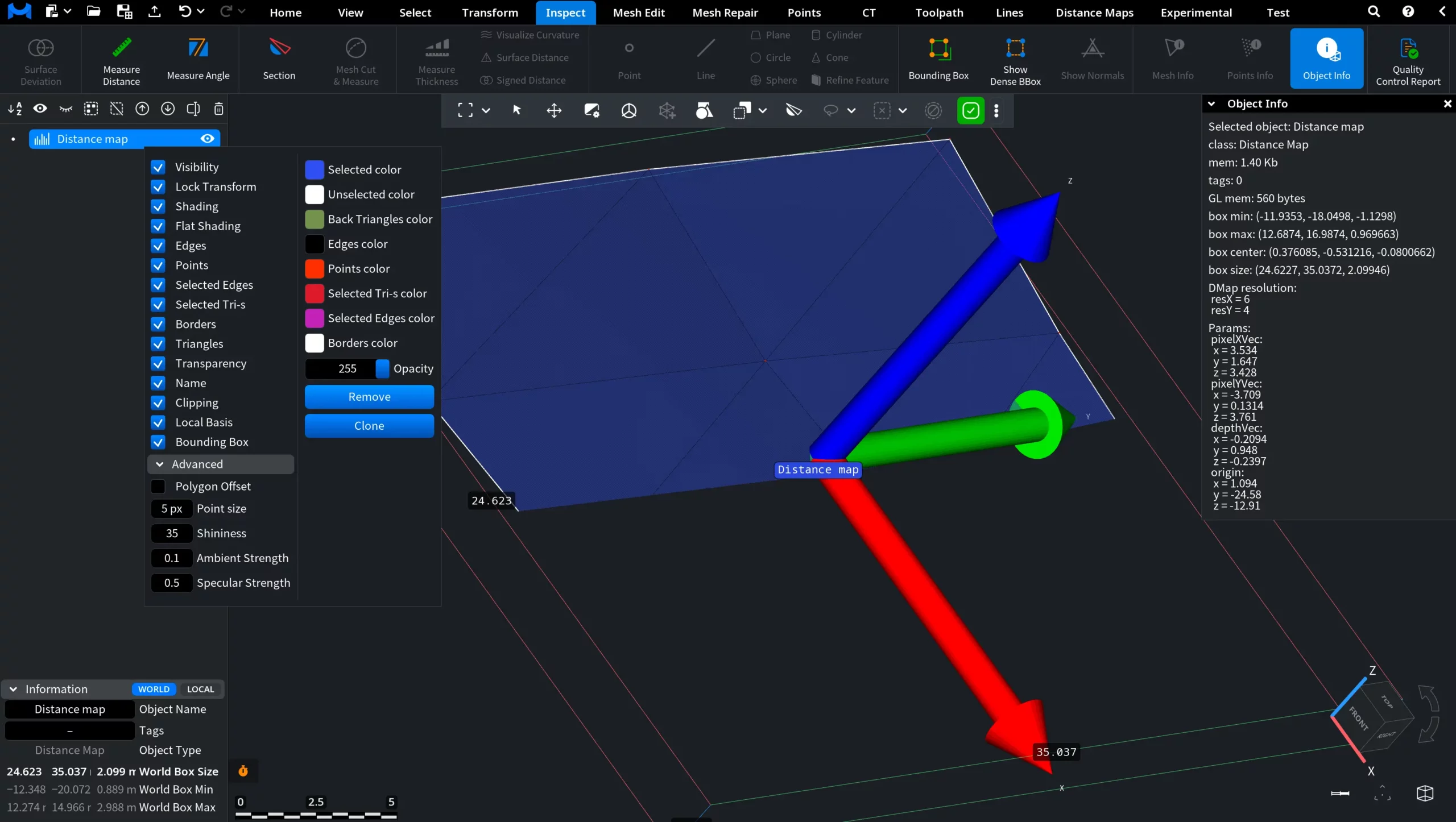
This menu provides quick access to visualization settings and basic object-level operations for distance maps.