A point cloud is a collection of points in 3D space that approximate the shape of an object. Unlike meshes, point clouds do not have edges or faces. They consist only of coordinates (X, Y, Z) and, optionally, normals.
Point clouds are characterized by:
- No connectivity between points.
- A structure defined by discrete, independent points.
- A shape that is inferred rather than explicitly defined.
- Optional orientation data (normals) for each point.
Point Cloud in MeshInspector
When you load a point cloud, it appears as a set of discrete points in the viewport. In the Scene tree, it is marked with a dot-based icon indicating that the object is a point cloud.
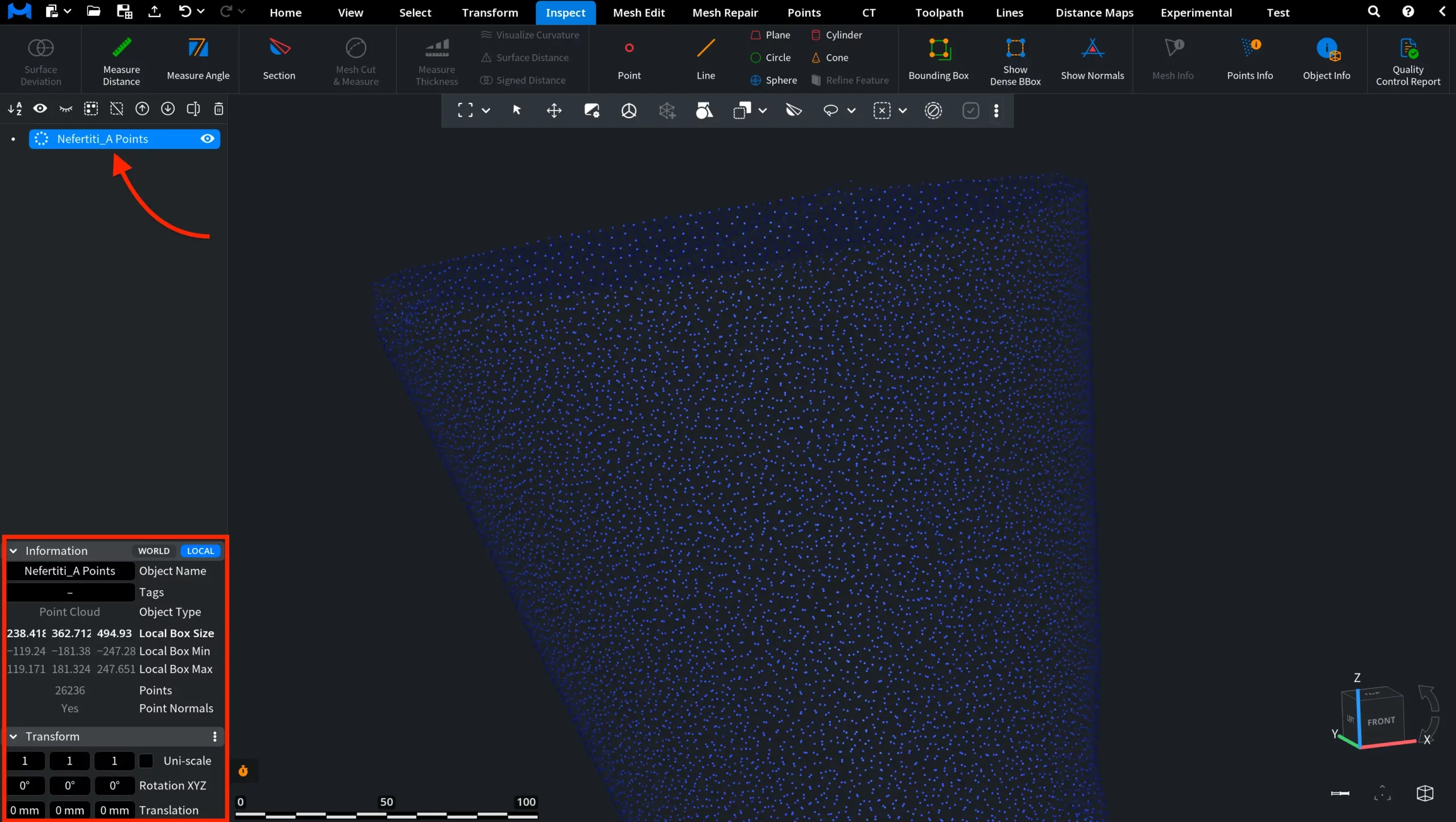
MeshInspector provides two key panels:
- Information displays the object type, number of points, bounding box dimensions, and whether normals are present (both World and Local coordinates are available).
- Transform allows you to scale, rotate, and translate the object in 3D space.
Under the Inspect tab, you can enable Object Info and Points Info. Both panels can be active at the same time.
- Object Info shows general information about the selected point cloud, including source format, memory usage, number of points, and bounding box dimensions.
- Points Info provides detailed, point-level data for the selected point. It displays coordinates (X, Y, Z), normal values (if available), and neighborhood-based information such as radius and number of points within the selected area.
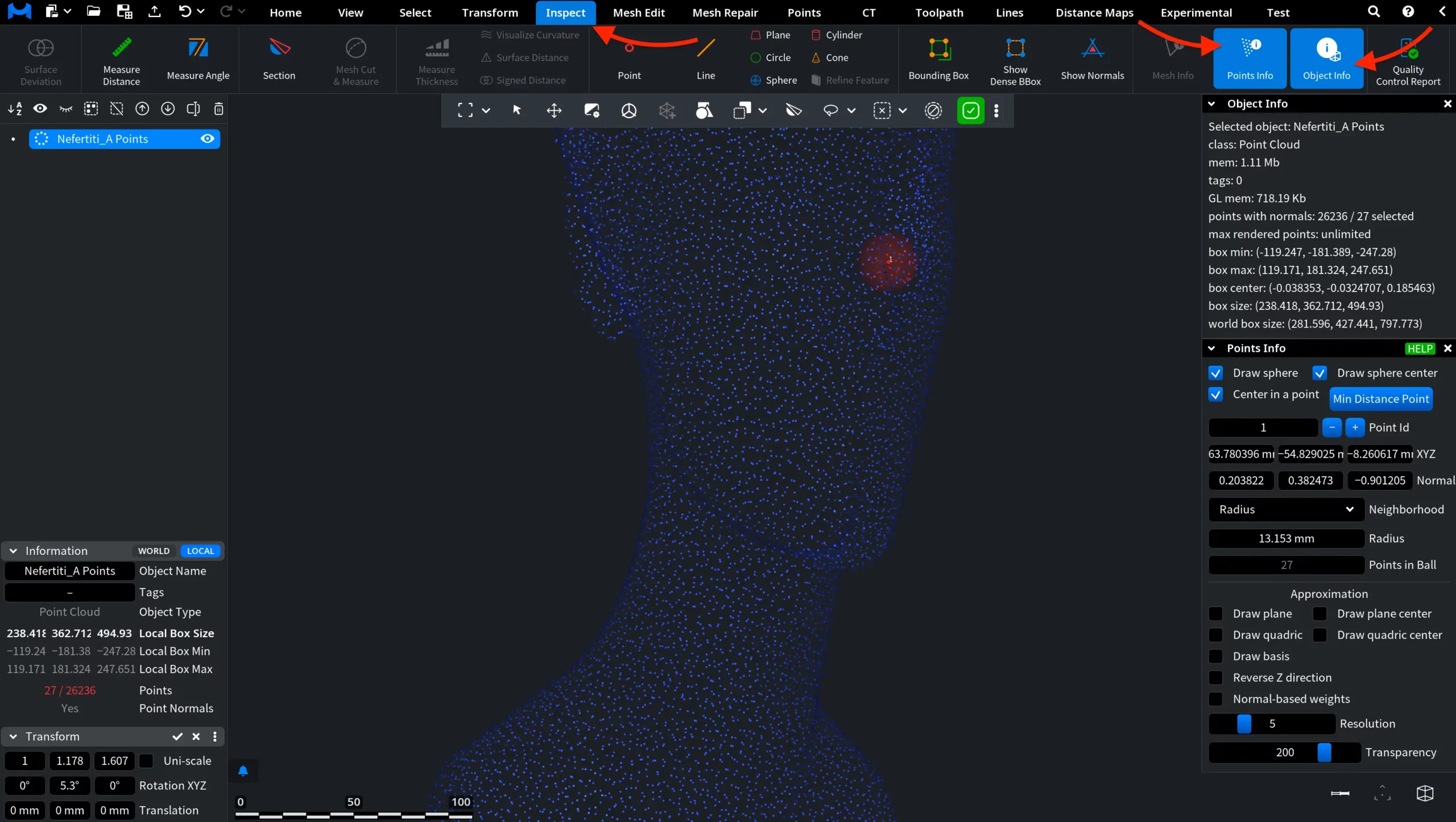
These panels allow you to inspect both overall properties of the point cloud and detailed information about individual points.
Finally, right-click on the point cloud in the Scene tree to open the context menu.
From here, you can control how the point cloud is displayed and managed:
- Toggle visibility options encompassing points, normals, bounding box, and object name.
- Adjust display settings, including point size, colors, and opacity.
- Enable or disable additional elements and operations, e.g., clipping and local basis.
- Modify advanced rendering parameters, like shininess, ambient strength, and specular strength.
- Perform actions such as Remove, Clone, or Clone Selection.
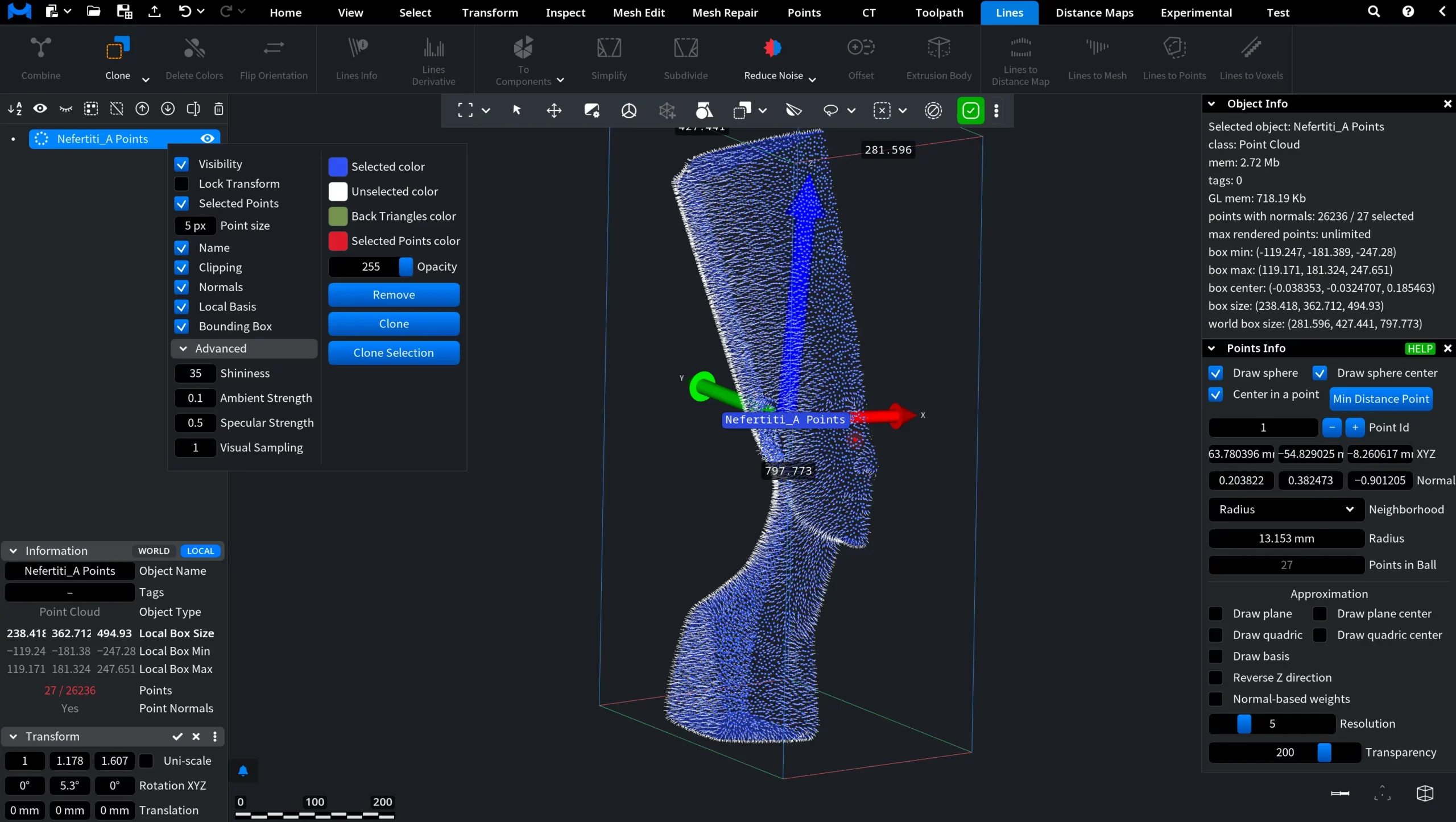
This menu provides quick access to both visualization settings and object-level operations for point clouds.