A polyline is a geometric object composed of connected line segments defined by an ordered set of points (vertices). Each segment connects two consecutive points, forming a continuous path in 3D space.
Unlike meshes, polylines do not form surfaces. Also, unlike point clouds, they include connectivity between points, defining explicit linear structure.
Polylines are characterized by:
- An ordered sequence of vertices.
- Connectivity between consecutive points (edges).
- A structure defined by line segments rather than surfaces or volumes.
- A measurable length along the path.
Polylines in MeshInspector
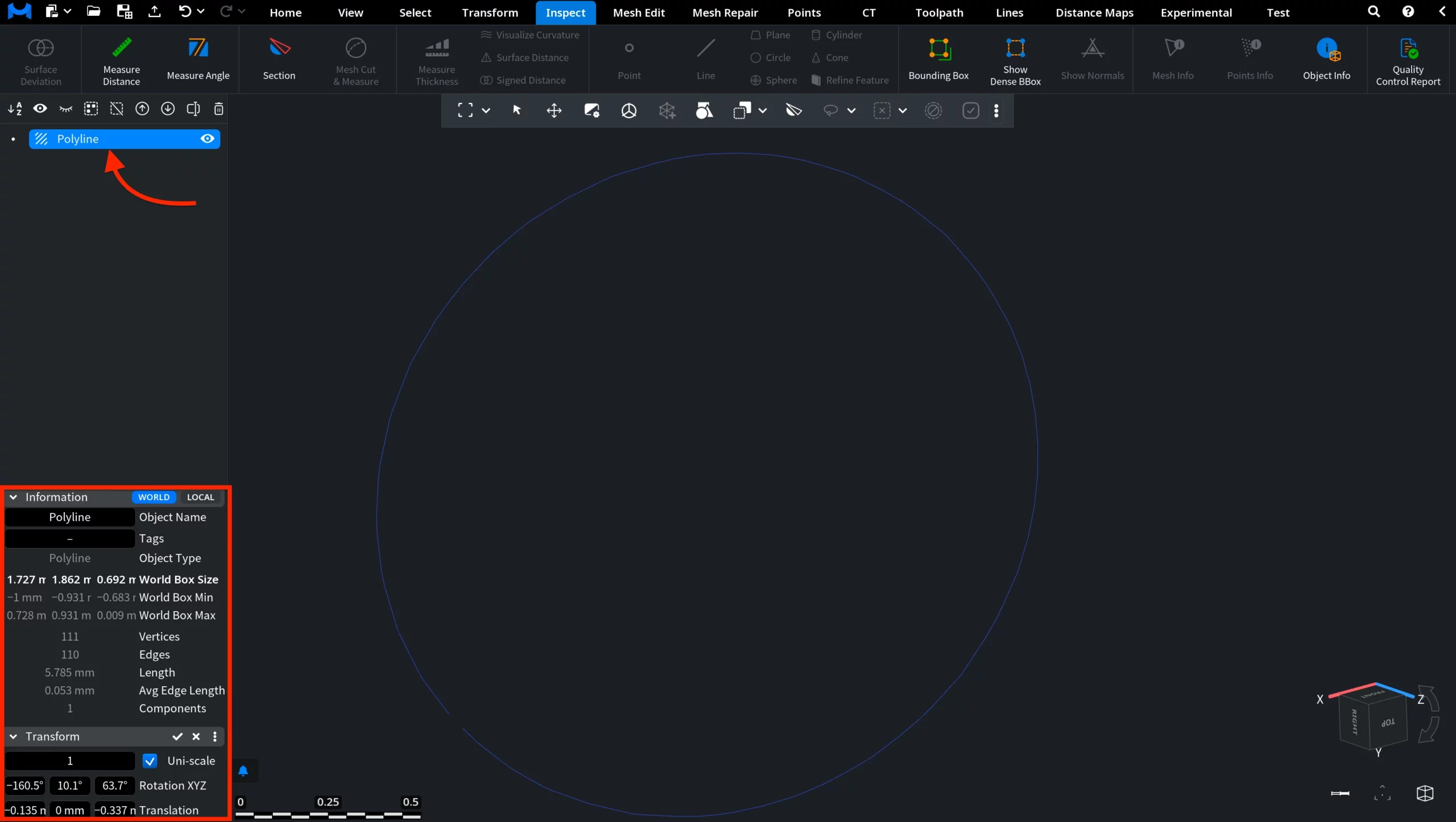
When you load a polyline, it appears in the Scene tree and in the viewport as a connected line structure. In the Scene tree, it is marked with a line-based icon, indicating that the object is a polyline.
MeshInspector provides two key panels:
- Information displays properties such as number of vertices, number of edges, total length, and bounding box dimensions
- Transform allows you to scale, rotate, and translate the polyline in 3D space
These allow you to inspect both the structure and spatial positioning of the polyline.
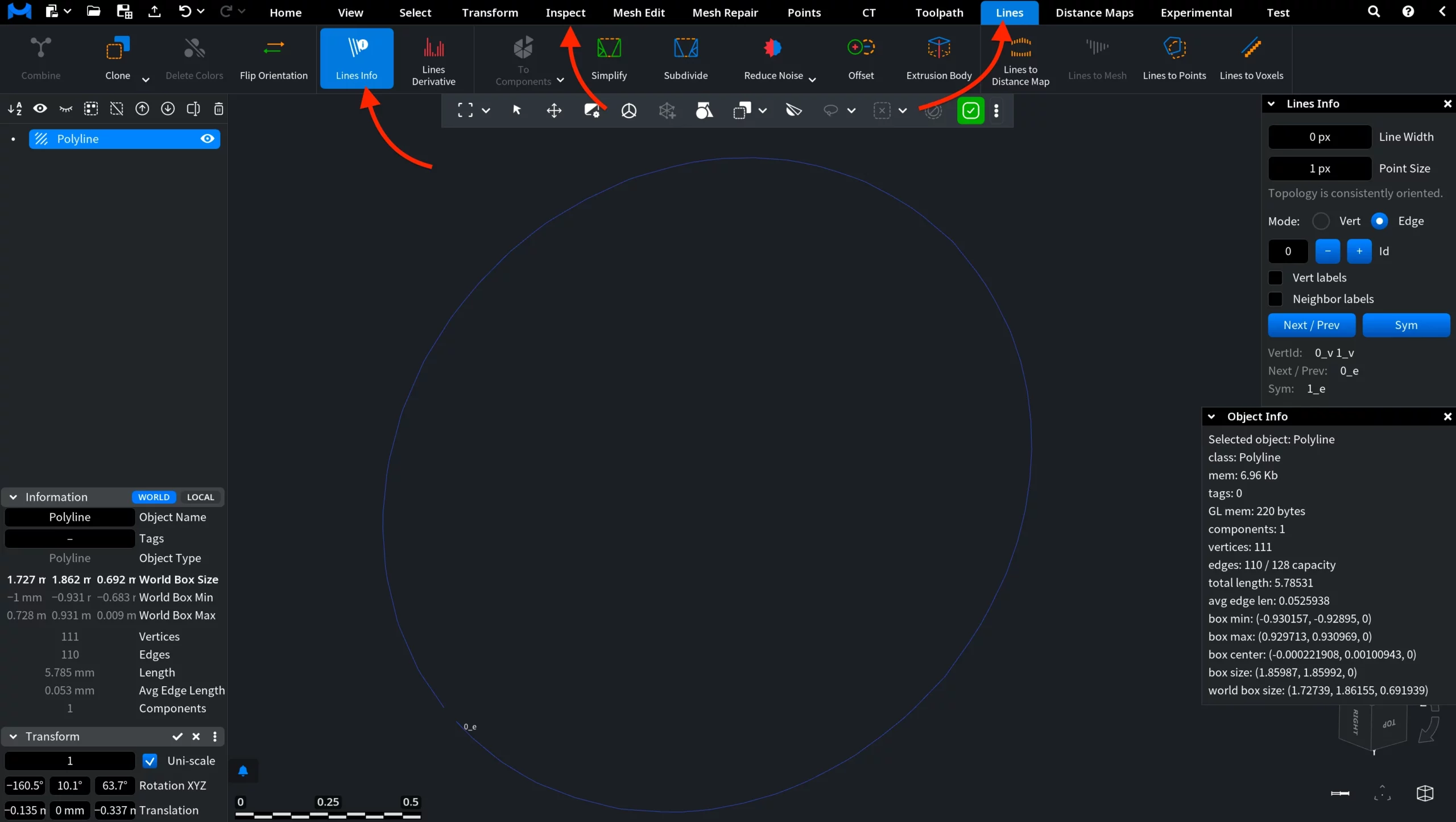
Under the Inspect tab, you can enable Object Info to view general information about the selected polyline. It shows properties such as number of vertices, edges, total length, and bounding box dimensions
For more detailed, element-level analysis, use Lines Info, available under the Lines tab. It provides detailed data for vertices and edges, including IDs, connectivity, and navigation between elements. Although Lines Info is accessed from the Lines tab, it can appear as a panel alongside Object Info, allowing you to view both general and detailed information at the same time.
Finally, you can right-click on the polyline in the Scene tree to open the context menu.
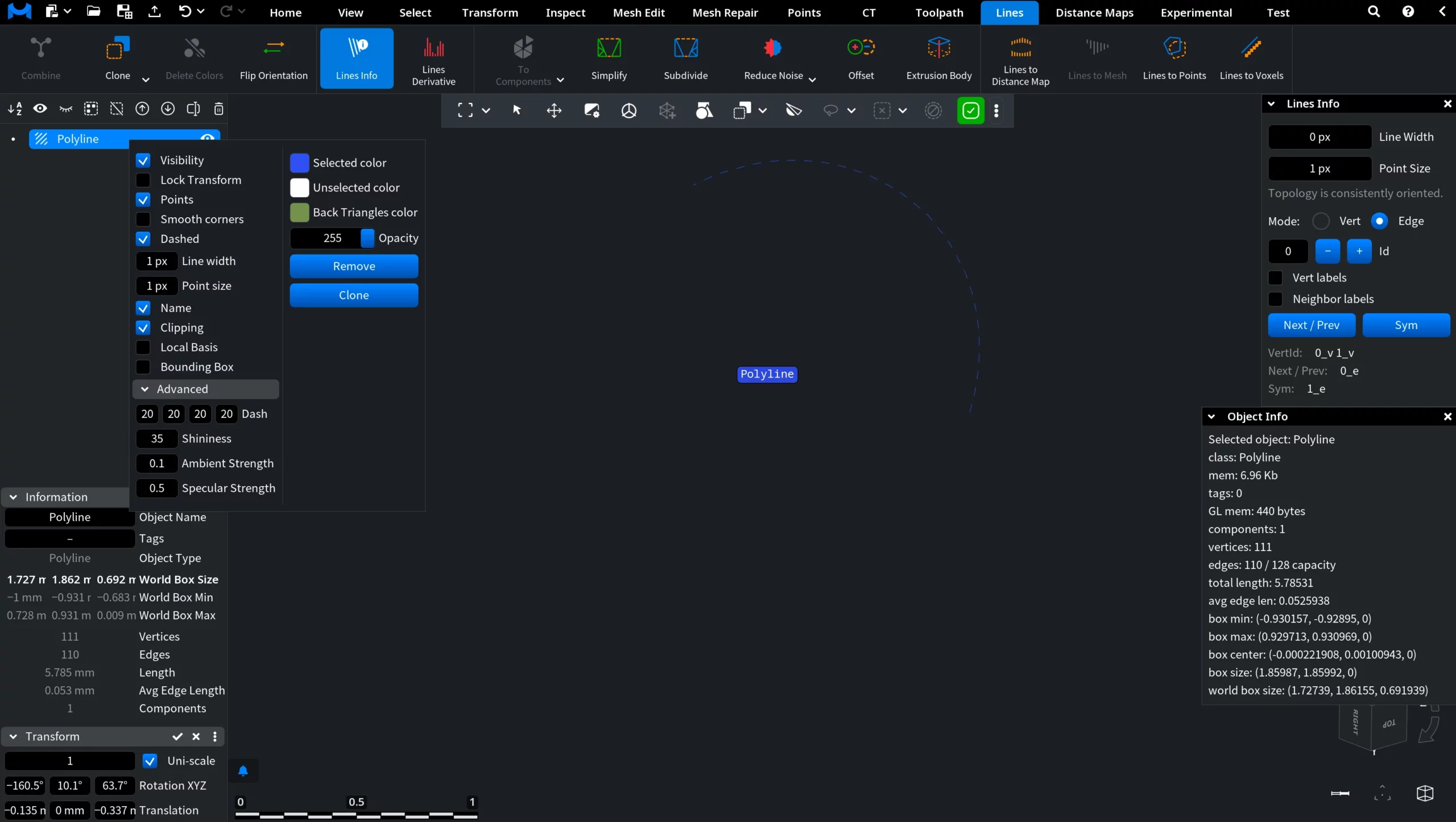
From here, you can control how the polyline is displayed and managed:
- Toggle visibility options, e.g., points, dashed mode, smooth corners, bounding box, and object name.
- Adjust display settings, including line width, point size, colors, and opacity.
- Enable or disable additional elements and operations, such as clipping and local basis.
- Modify advanced rendering parameters, encompassing dash pattern, shininess, ambient strength, and specular strength.
- Perform actions such as Remove or Clone the object.
This menu provides quick access to both visualization settings and object-level operations for polylines.
Polylines in MeshInspector