
Lines Info shows the inside of one polyline: the id and coordinates of each vertex, how the edges connect, and whether the whole line is consistently oriented. Open it to check a contour before a tool that depends on the direction of the line, to find a vertex by its id, or to move one vertex to exact coordinates. The totals of the line (Vertices, Edges, Length, Components) are in the Information panel on the left.
Open Lines Info
- Select exactly one lines object in the Scene tree.
- Click Lines › Lines Info.
The panel opens on the right, and the vertices of the line are drawn as points.
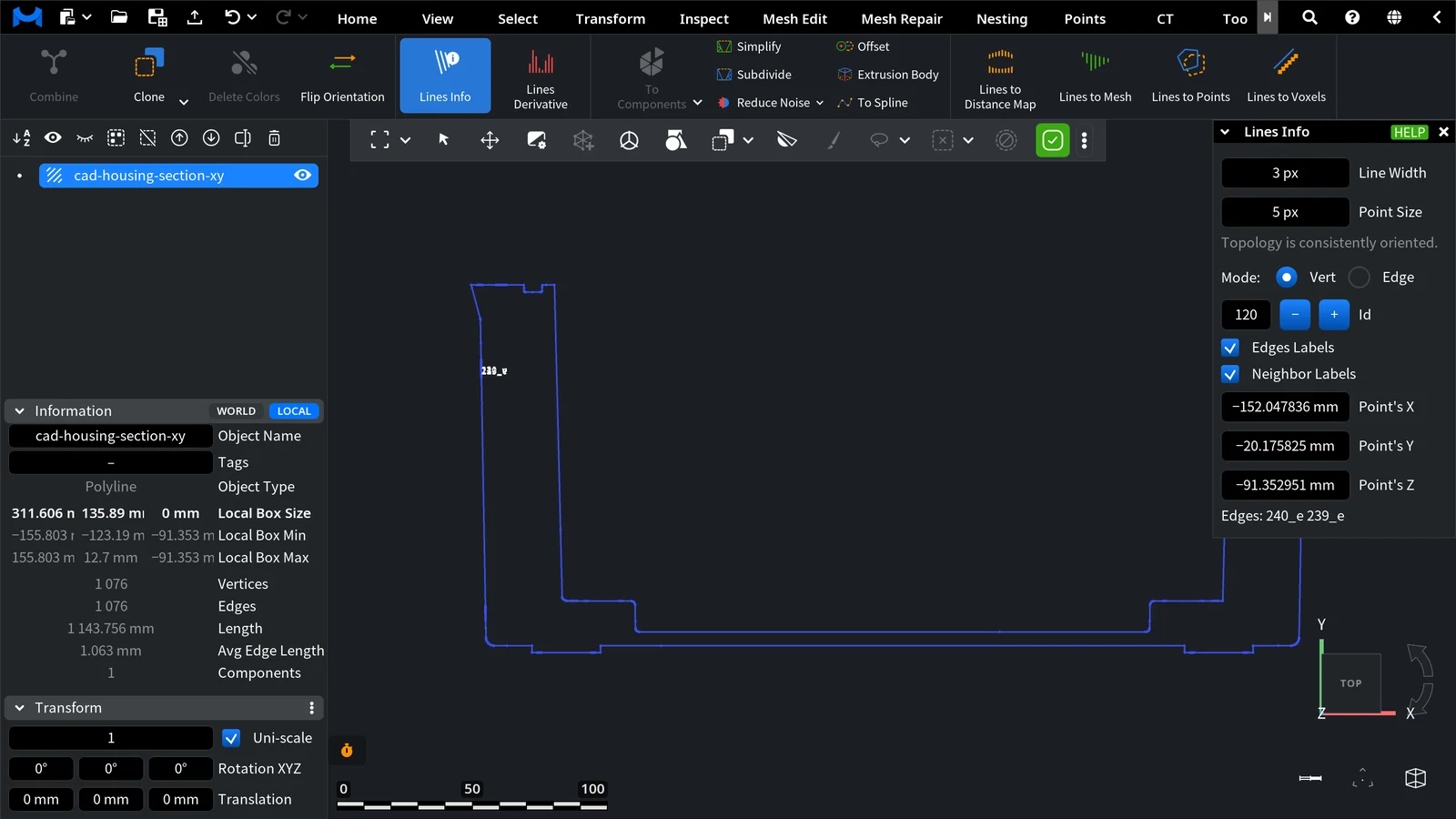
The Panel
| Field | What it does |
|---|---|
| Line Width, Point Size | Draw the line thicker and the vertices bigger while the tool is open. The object's own display settings come back when you close it. |
| Orientation line | Topology is consistently oriented. means that every part of the line runs in one direction. Topology is not consistently oriented. means that some edges point the other way; see Flip Orientation. |
| Mode | Vert (default) inspects vertices, Edge inspects edges. |
| Id | The id of the inspected vertex or edge. Type it, use – / +, or click the line in the viewport to pick the nearest vertex or the edge under the cursor. |
Vert Mode
- Edges Labels shows the ids of the edges at the vertex in the viewport (for example 41_e).
- Neighbor Labels shows the ids of the neighbor vertices (for example 22_v).
- Point's X, Point's Y, Point's Z are the coordinates of the vertex. Change them to move this vertex; the line follows.
- Edges at the bottom lists the two edges of the vertex.
Edge Mode
- Vert labels and Neighbor labels show the ids of the edge's two vertices and of the vertices next to them.
- Next / Prev jumps to the neighboring edge that shares the start vertex of this edge; Sym switches to the same segment in the opposite direction.
- VertId shows the start and end vertex of the edge in their order, Next / Prev the id of the next edge, and Sym the id of the opposite edge. After Flip Orientation, VertId of the same edge shows its two vertices in reverse order.
When to Use It
- Before Lines Derivative or the Contours orientation sign method of Lines to Distance Map: check that the line is consistently oriented.
- To find where a contour has an odd vertex (a spike or a jump): click it in the viewport and read its id and coordinates.
- To snap one vertex to an exact position: type its coordinates in Point's X/Y/Z.

