
Offset on the Lines tab makes a mesh around a polyline: a surface at the same distance from every point of the line, that is, a round tube. Use it to turn a path or a section contour into a solid wire, rod or pin, or to show a tolerance zone around a line. This guide is about lines; to offset a mesh, see Offset for meshes. For a profile of any other shape, use Extrusion Body.
Make a Tube
- Select exactly one lines object in the Scene tree.
- Click Lines › Offset.
- Set Offset (unsigned) and Voxel Size, check Voxels count.
- Click Convert (or press Enter).
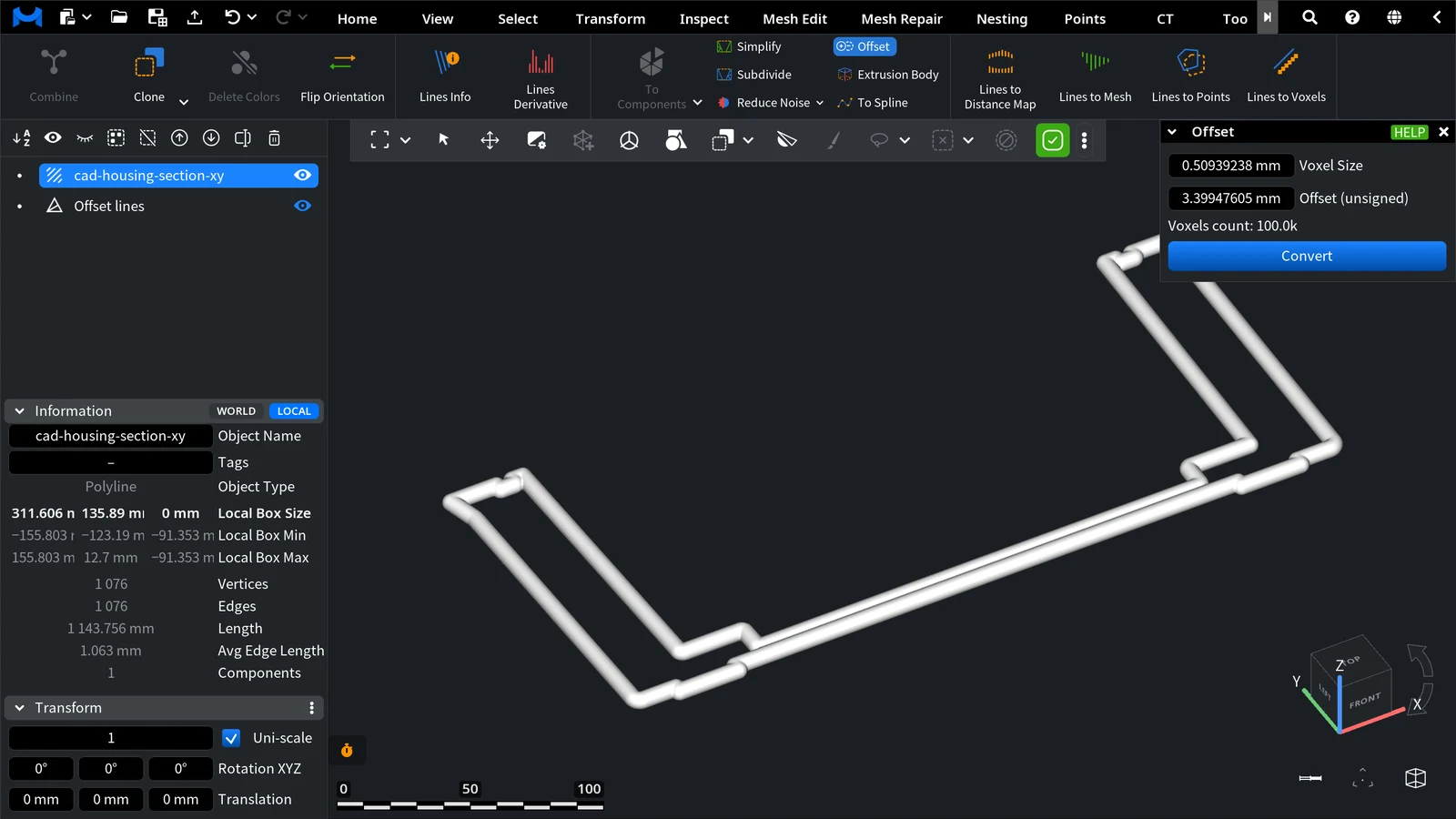
| Parameter | What it does | Default |
|---|---|---|
| Offset (unsigned) | The distance from the line to the surface, that is, the tube radius | 1/100 of the line's bounding-box diagonal; at most 1/10 of it |
| Voxel Size | The size of the voxel grid used to build the mesh. Smaller voxels give a smoother tube but take more time and memory. It cannot be larger than half the offset | Set from the offset and the line length |
| Voxels count | The estimated number of voxels for the current values | Turns red at 1M and more; its tooltip recommends less than 1M |
Result
A new mesh named Offset lines appears at the top level of the Scene tree; the line does not change. The panel stays open, so you can change the values and convert again.
In the example, the section contour of a CAD housing (1,144 mm long) got a 3.4 mm tube with the default values: the contour's bounding-box diagonal is about 340 mm.
Tips
- If Voxels count is red, increase Voxel Size or reduce Offset (unsigned).
- For a thin wire along a long line, start with the default values, then reduce Voxel Size step by step while Voxels count stays under 1M.


