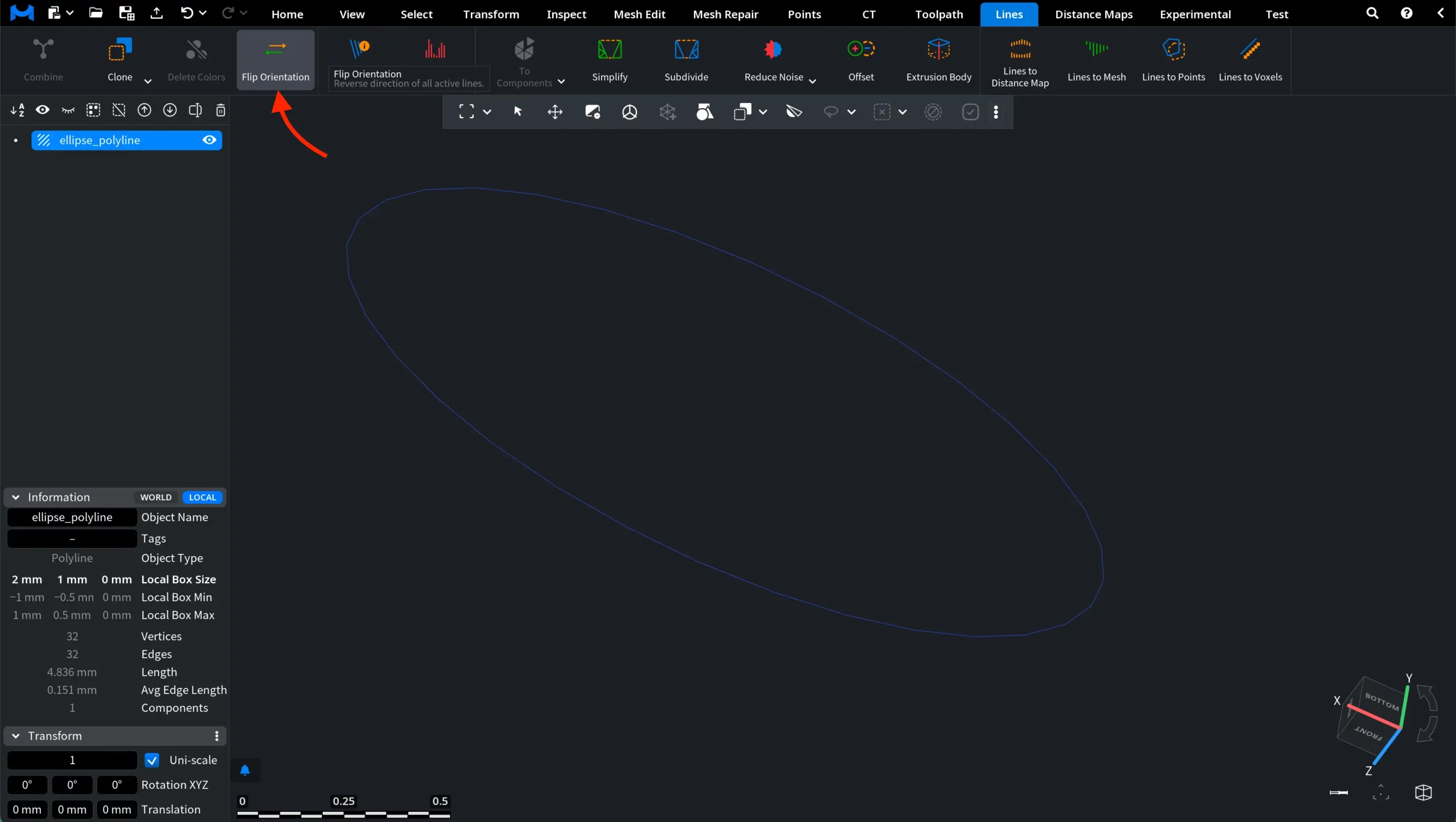
When working with polylines, the direction of the line may sometimes need to be reversed. The fact is that certain operations involving lines may rely on this orientation, so correcting it can be necessary during preprocessing or editing. To reverse the direction of a polyline, MeshInspector provides the Flip Orientation tool. To access this tool, open the Lines tab in the top toolbar and click Flip Orientation, as shown in the screenshot below.

After clicking Flip Orientation, you will notice that nothing changes visually in the viewport. This is expected behavior. The operation does not modify the geometry of the polyline. Instead, it reverses the internal direction of the line, which is defined by the order of its vertices.
Since the shape of the line remains the same, the orientation change cannot be seen directly.
However, the change can be inspected using the Lines Info tool.
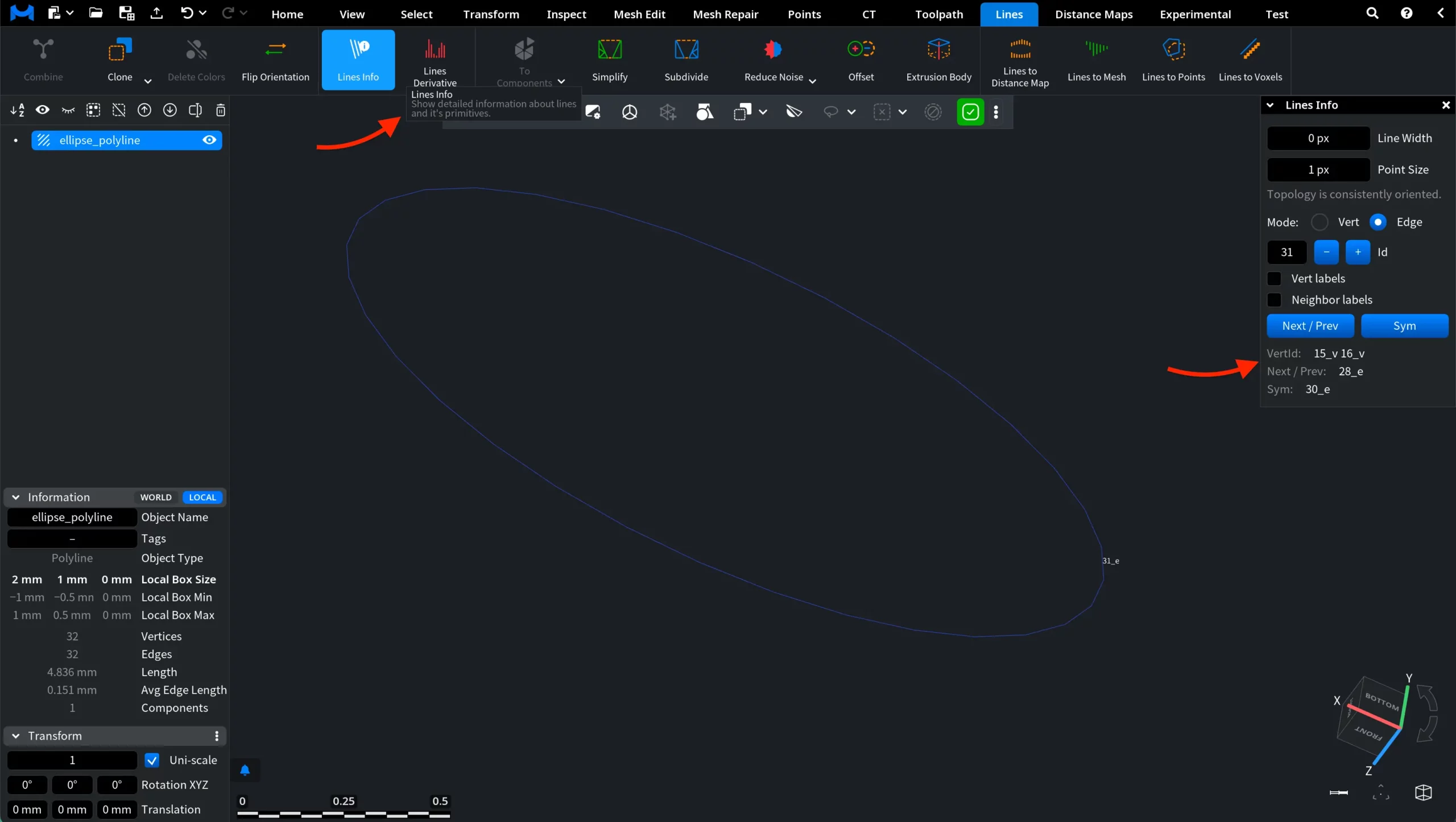
Open Lines Info in the Lines tab. This tool provides detailed information about lines and their primitives. The mode is set to Edge by default. With the current orientation of the polyline, the panel displays connectivity information for the selected edge. In particular, pay attention to the values of VertId and Next / Prev.
For example, in the current orientation the panel may display:
- VertId: 15_v 16_v
- Next / Prev: 28_e
After applying Flip Orientation, the same edge will display a different vertex order:
- VertId: 16_v 15_v
- Next / Prev: 32_e
This change indicates that the direction of traversal along the polyline has been reversed.
Note that the Sym value remains the same. This field refers to the symmetric edge in the topology structure and does not depend on the orientation of the polyline.
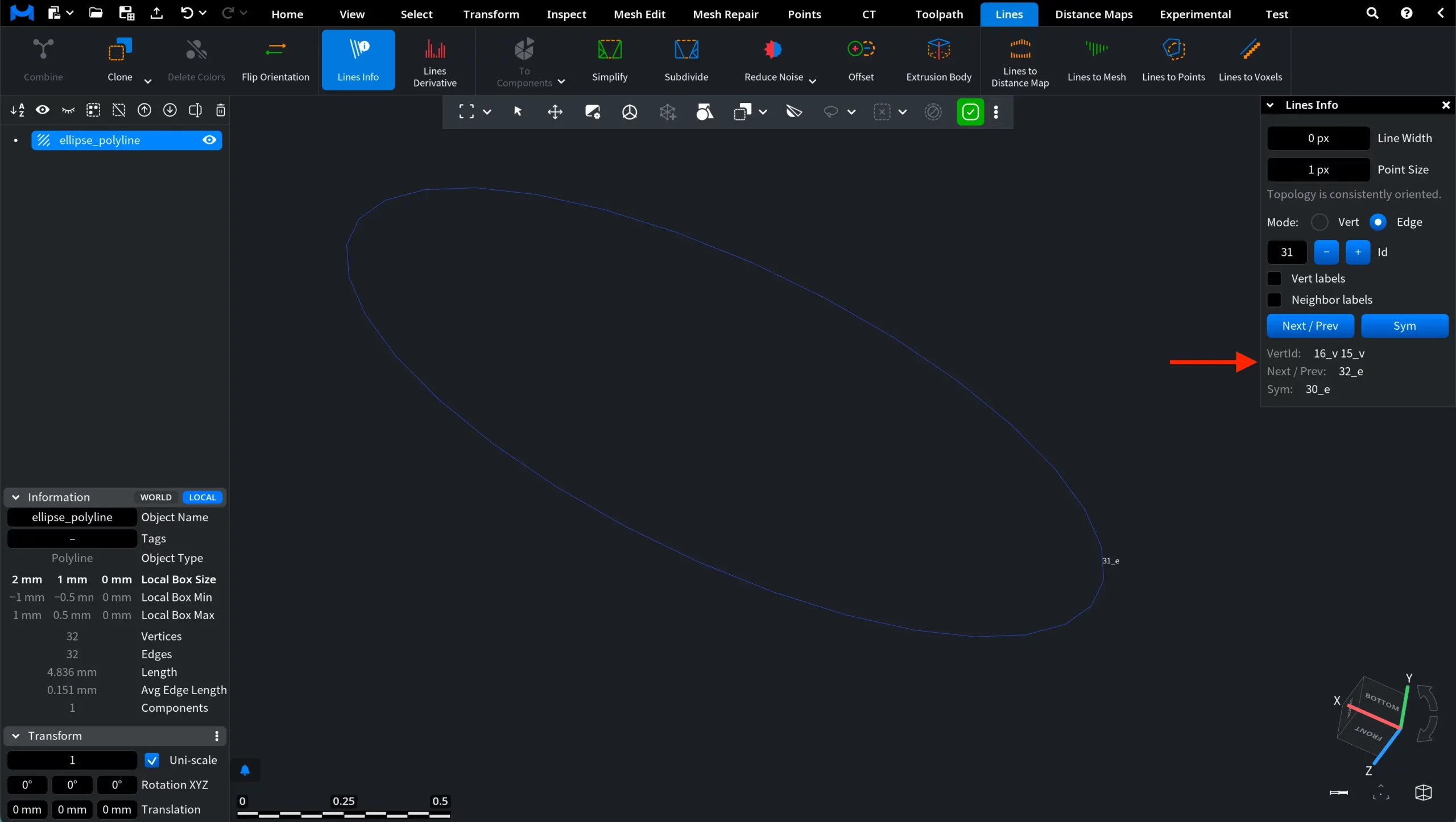
If you continue navigating through the edges using the – or + buttons next to Id, you will notice that the values change in the same way for other edges as well: the vertex order becomes reversed while the connectivity references are updated accordingly.
This behavior confirms that Flip Orientation does not alter the geometry of the line. Instead, it only reverses the internal traversal direction of the polyline by inverting the order of its vertices.