Loads from YouTube (Google) when you press Play
Signed Distance measures the minimum distance between two objects while also indicating which side of the reference surface the measured points lie on. As a result, Signed Distance always operates on two objects: a reference object and a measured object. To start working with it, go to the Inspect tab and click Signed Distance.

Once you click it, a dedicated panel will open. Unlike standard distance measurements, Signed Distance assigns a sign to each distance value:
-
Positive values indicate points located outside the reference object
-
Negative values indicate points located inside the reference object
-
Zero indicates direct contact or intersection.
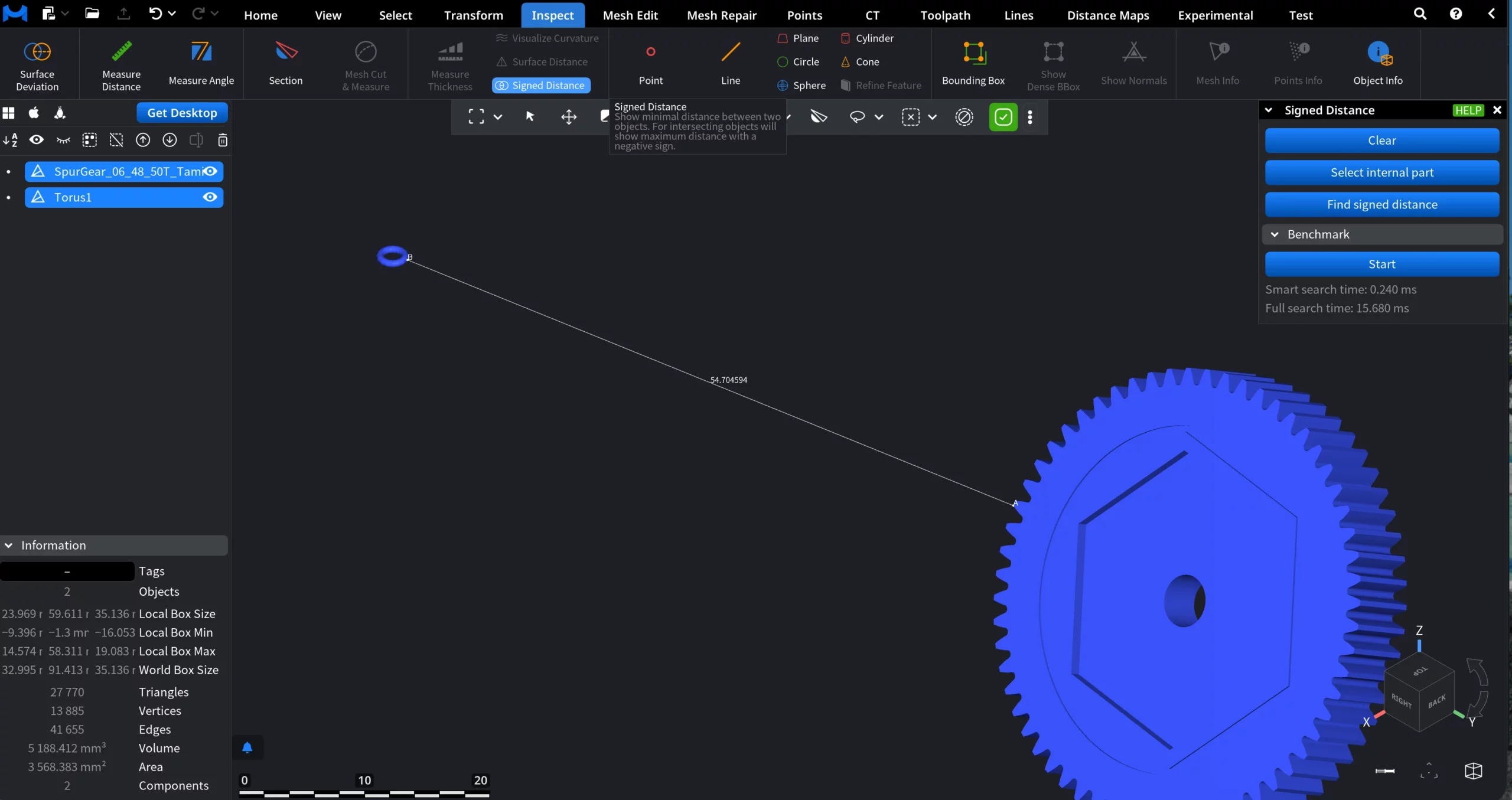
Benchmark
The Benchmark section reports performance metrics for the signed distance computation:
-
Smart search time is the time spent on the optimized distance search
-
Full search time is the time required for the exhaustive distance computation
These values help assess performance when working with complex meshes or large assemblies.
The Signed Distance Tool Explained