Surface Distance visualizes the shortest distance measured along the mesh surface from a specified source to every other point on the mesh. To start working with it, go to the Inspect tab and click Surface Distance.

Once you click Surface Distance, a dedicated panel will open. Also, a color palette will be applied to the object.
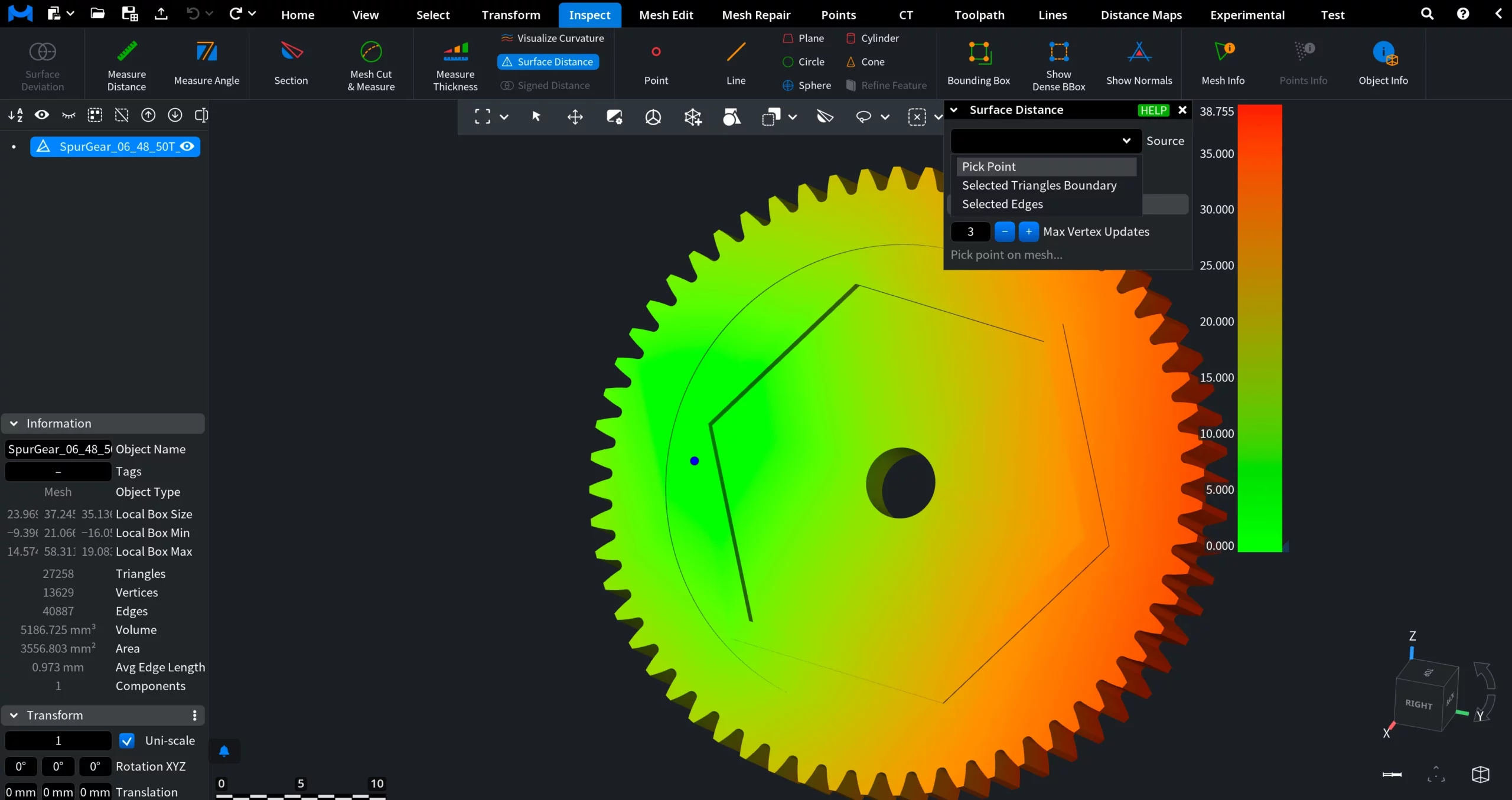
Sources for Surface Distance
The Source setting defines where the surface distance computation starts. Available options determine how the initial distance values are seeded.
-
Pick Point uses a single user-selected point on the mesh as the source.
-
Selected Triangles Boundary uses the boundary of the currently selected triangle-based region as the source.
-
Selected Edges uses selected edges as the source.
Pick Point
When Pick Point is selected, Surface Distance computes geodesic distances starting from a single user-defined point on the mesh surface.
Iso-lines controls whether distance contour lines are displayed on the surface.
-
No does not draw any distance iso-lines. Only the color gradient is used to visualize surface distance.
-
One draws a single iso-line at a specified distance value. Useful for highlighting an exact distance threshold on the surface.
-
Many draws multiple evenly spaced iso-lines across the surface. Useful for visualizing distance distribution and gradients.
Iso-value (available when Iso-lines = One) defines the exact surface distance value at which a single iso-line is drawn. When Iso-value is set, you can click on Cut & Select to cut the mesh along the line and select the region inside.
Number of Iso-lines (available when Iso-lines = Many) specifies how many distance iso-lines are drawn on the surface.
Advanced
Additional controls affecting how distances are propagated over the mesh.
-
Max Vertex Updates sets the maximum number of times a vertex distance value can be updated during computation.
Selected Triangles Boundary
When Selected Triangles Boundary is selected as the source, Surface Distance computes geodesic distances starting from the boundary of a selected triangle region, rather than from a single point. All other controls in the panel work identically to Pick Point.
Selected Edges
When Selected Edges is selected as the source, Surface Distance computes geodesic distances starting from the currently selected edges. All other controls in the Surface Distance panel work identically to Pick Point.
Guide to the Surface Distance Tool