

Texture to Vertex Colors stores the colors of a mesh in its vertices instead of in a texture image. Use it when the next step or the file format works with vertex colors but not with textures; after the conversion, the colors no longer depend on a texture file. Its drop-down item Triangle to Vertex Colors does the same for a mesh colored per triangle.
Which color tool to use
| Tool | Use it to |
|---|---|
| Texture to Vertex Colors | Turn a texture (an image mapped with UV coordinates) into vertex colors |
| Triangle to Vertex Colors | Turn colors stored per triangle into vertex colors |
| Project Color | Copy colors or a texture from one mesh to another mesh in the same place, for example to a repaired copy |
| Delete Colors | Remove all colors and textures and keep one solid color |
All four tools are on the Mesh Edit tab. Which file formats keep colors is listed in Supported File Formats.
Convert a texture to vertex colors
- Select one or more meshes that have a texture.
- Click Mesh Edit › Texture to Vertex Colors.

The tool works at once, without a panel, on all selected meshes. Each vertex takes the color of the texture at its UV coordinates. The mesh then shows its vertex colors, and its UV coordinates are removed, so the texture can no longer be shown on it. To get the texture back, use Undo (Ctrl+Z, or Cmd+Z on macOS).
The button is unavailable when no selected mesh is colored with a texture; its tooltip then says At least one selected mesh object must be colored using a texture. Select only meshes: with other objects in the selection, the button can be unavailable with the tooltip Only mesh objects must be selected.
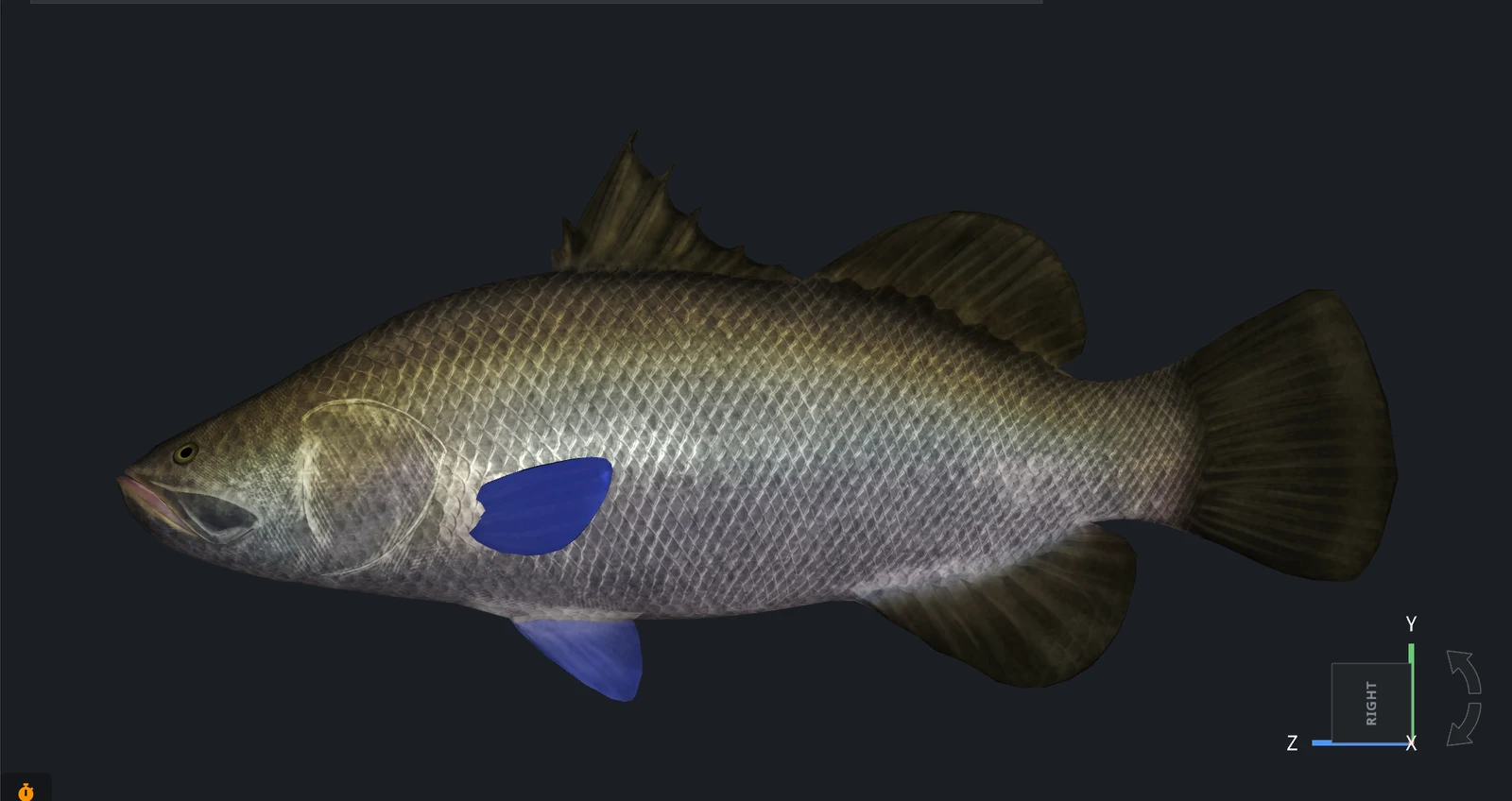
Before conversion
This fish model is colored with a texture: an image mapped onto the surface through UV coordinates. Without the image, the model would have no colors.
After conversion
After Texture to Vertex Colors, the colors are stored in the vertices. The overall coloring stays the same, but fine details of the texture are blurred:
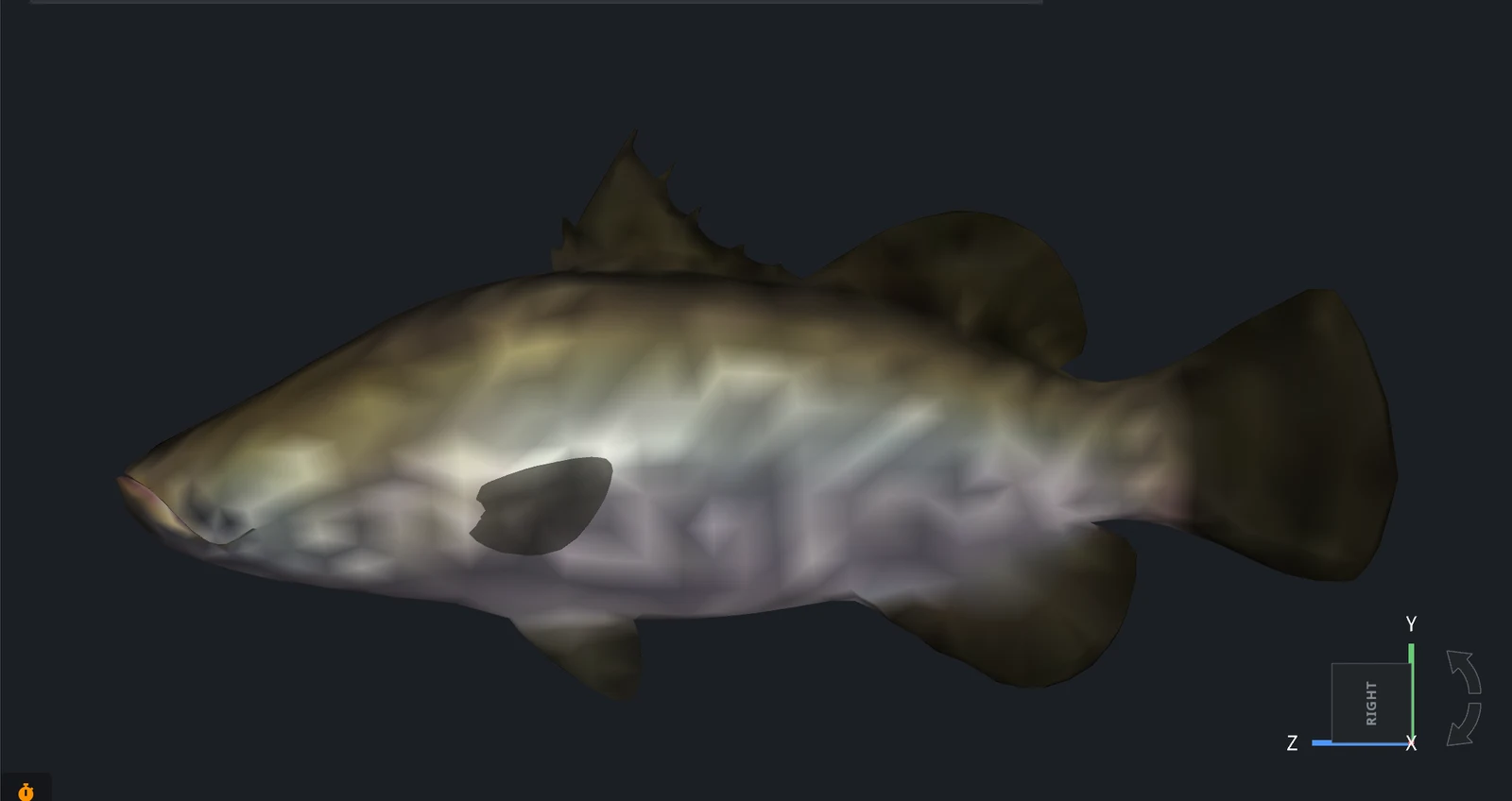
A vertex color can change only from one vertex to the next, so the detail of the colors is limited by the density of the vertices, not by the resolution of the texture. A dense mesh keeps more of the texture than a coarse one.
Triangle to Vertex Colors
Triangle to Vertex Colors turns colors stored per triangle into colors stored per vertex.
- Select one or more meshes colored per triangle. Such colors come, for example, from 3MF files in which each triangle has its own color.
- Click the arrow next to Mesh Edit › Texture to Vertex Colors and choose Triangle to Vertex Colors.
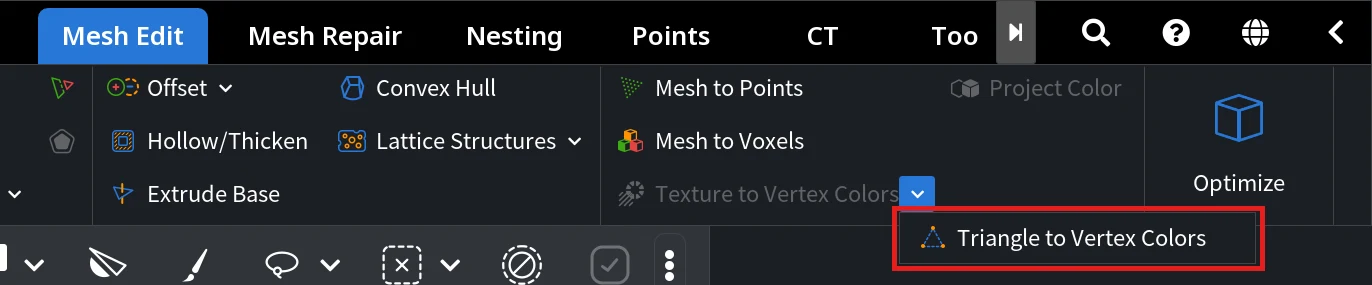
The tool works at once, without a panel. Each vertex gets the average color of the triangles around it, weighted by their area, and the triangle colors are removed. The geometry does not change. Undo brings the triangle colors back. The item is unavailable when no selected mesh has triangle colors; the tooltip then says At least one selected mesh object must be colored using a faces color map.
With triangle colors, every triangle has its own color, so color borders are sharp even on a coarse mesh. This cube has only 8 vertices, and each of its faces has a solid color:
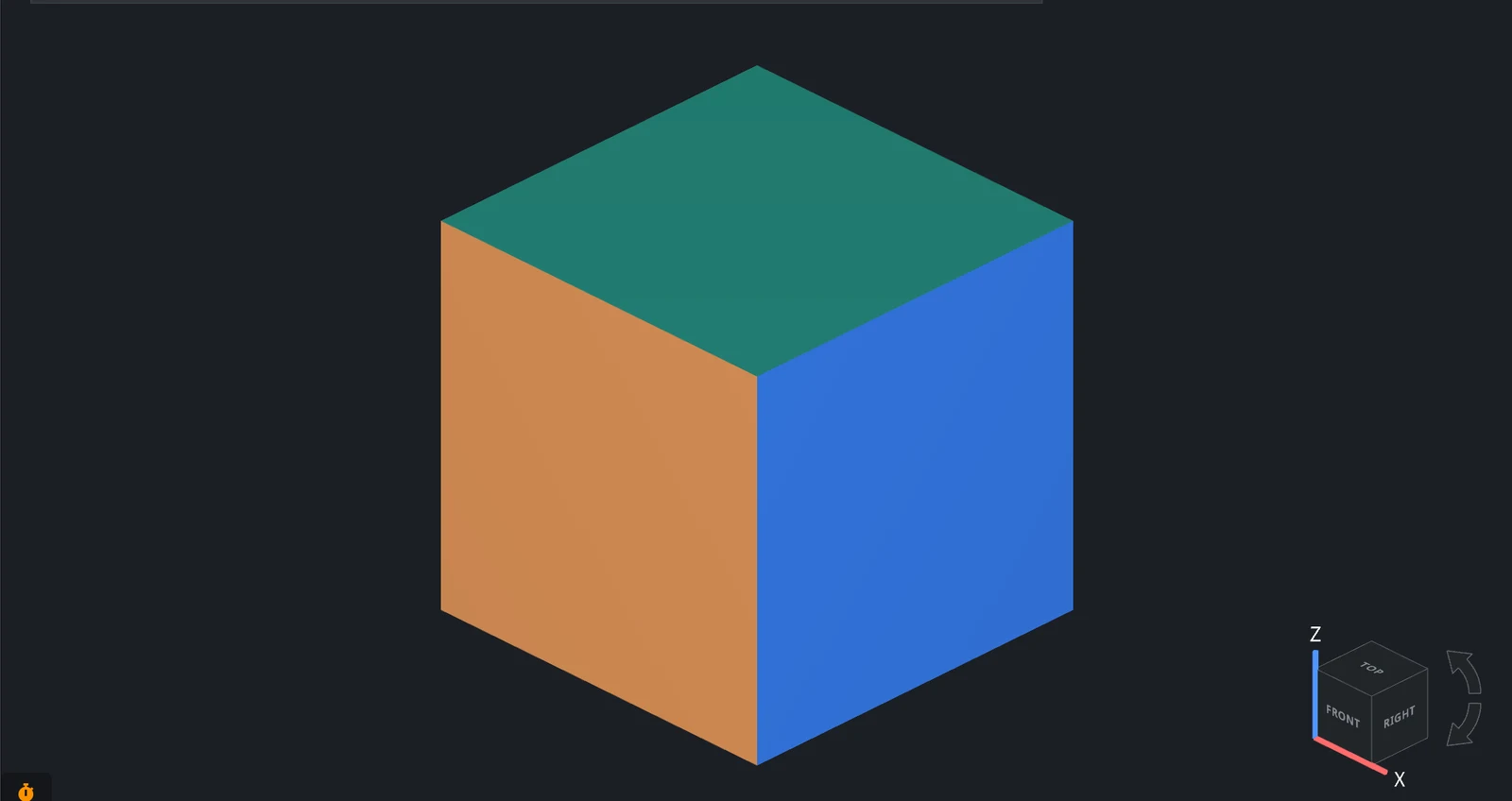
After the conversion, each corner vertex holds one color mixed from the faces that meet there, and the colors blend across every face:
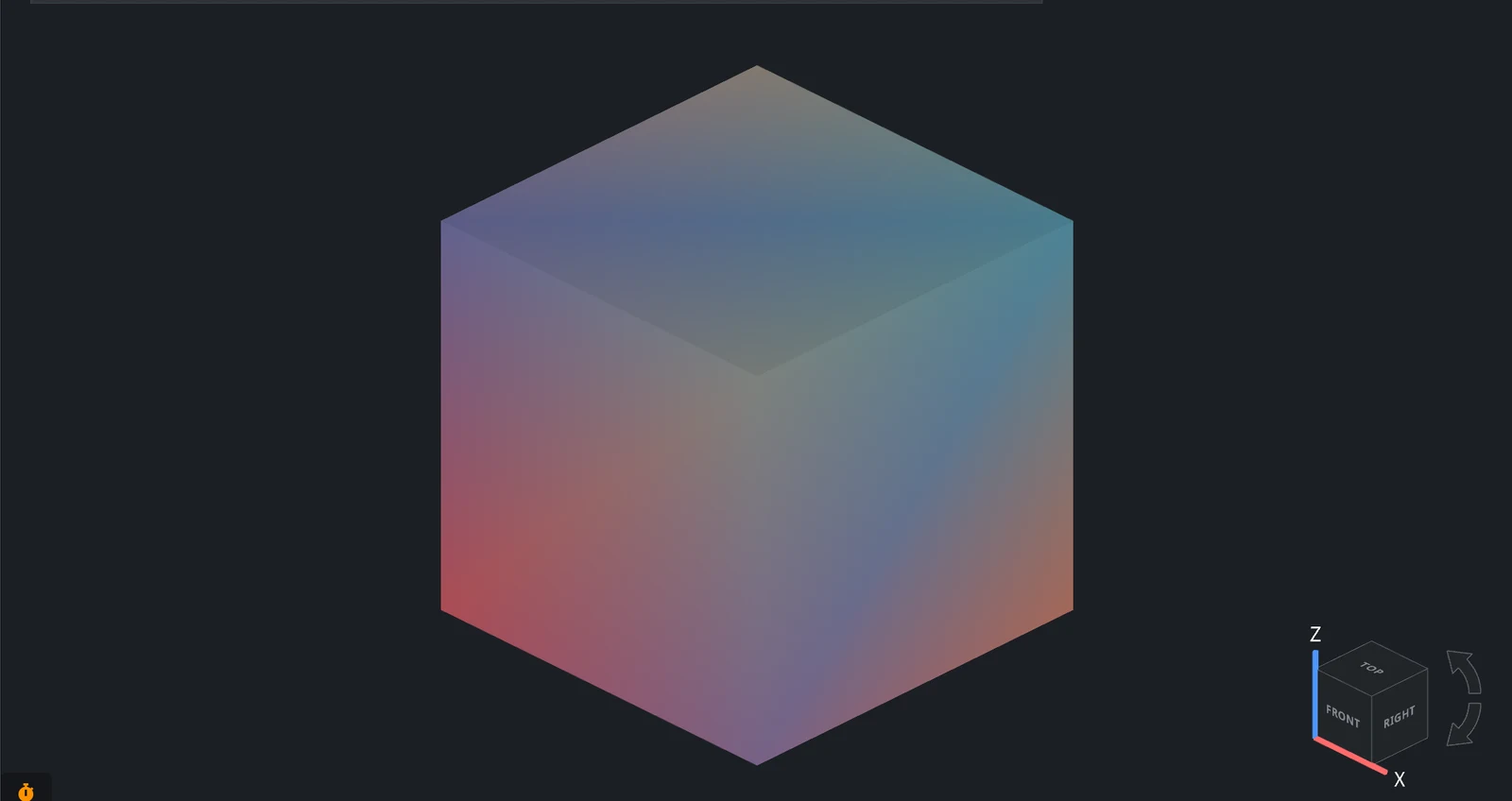
On a dense mesh, the blending is limited to a narrow strip of triangles along each color border.


